



Custom work
What we’ve built inside Business Central.
Seven builds, each made for one group of people and the job they do all day. For each one: the problem, what we built and how the job works now, with the real screens.
Every screen on this page is shown with demo data. The company names (Ridgeline Supply, Summit Ridge Equipment Rental, Cobalt Supply, Summit Supply, Kestrel Ridge), customers, people and figures are made up for the demo.
01 · Quick Actions Pro
Eight counter and warehouse jobs on one screen.
Demo: Ridgeline Supply, a trade supplier with a counter and a warehouse.
The problem and what we built
The problem
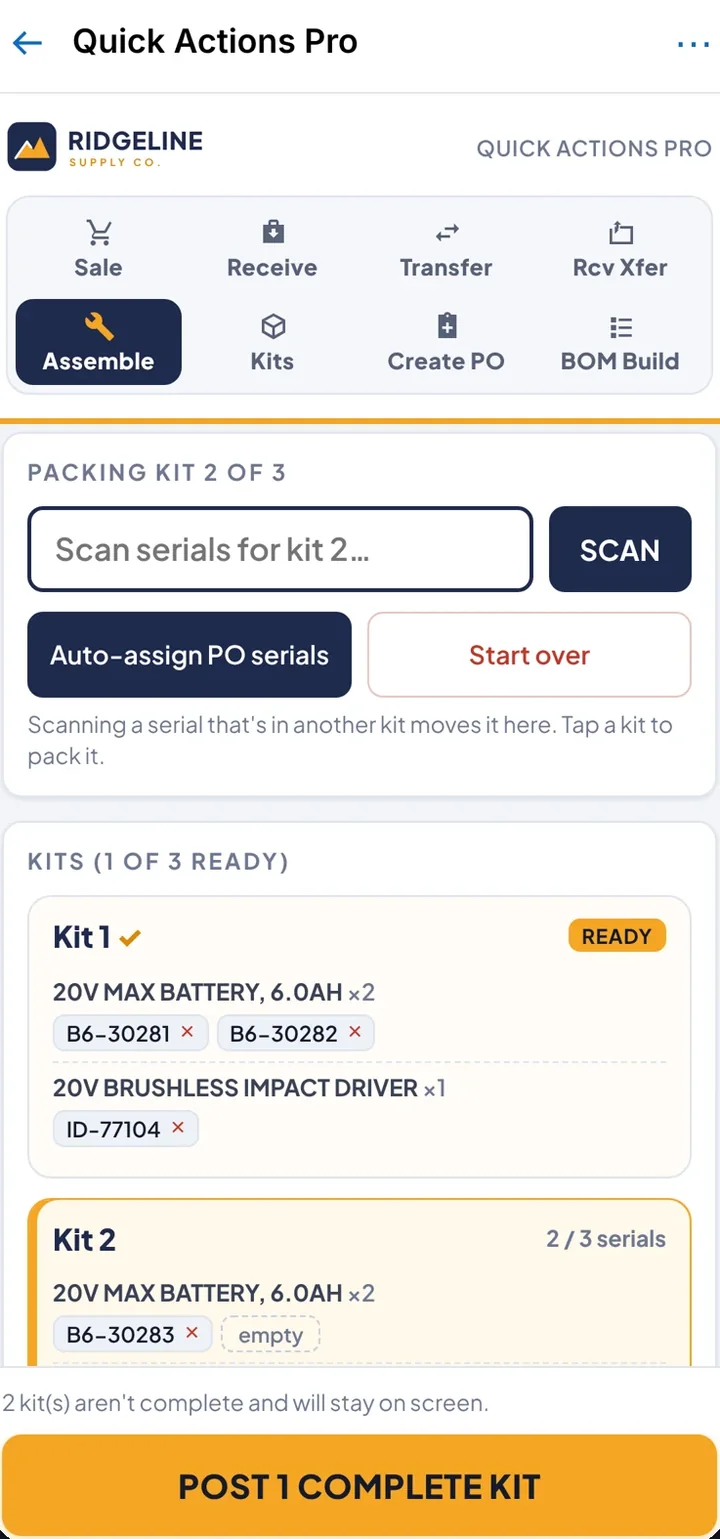
Short, repeated jobs (sell at the counter, receive a PO, move stock, pack a kit) each live on a different standard Business Central page with its own menus. Serial numbers mean a trip to Item Tracking Lines every time.
What we built
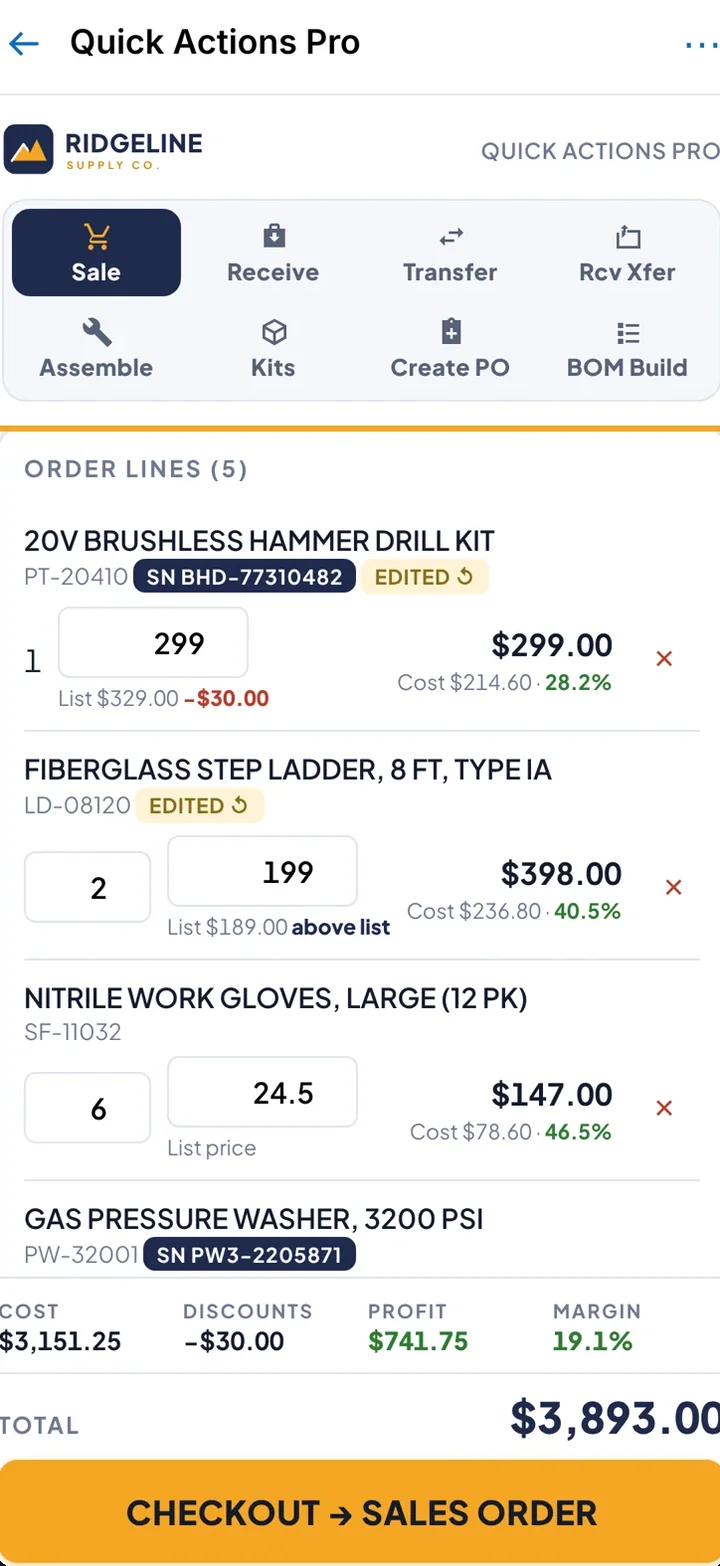
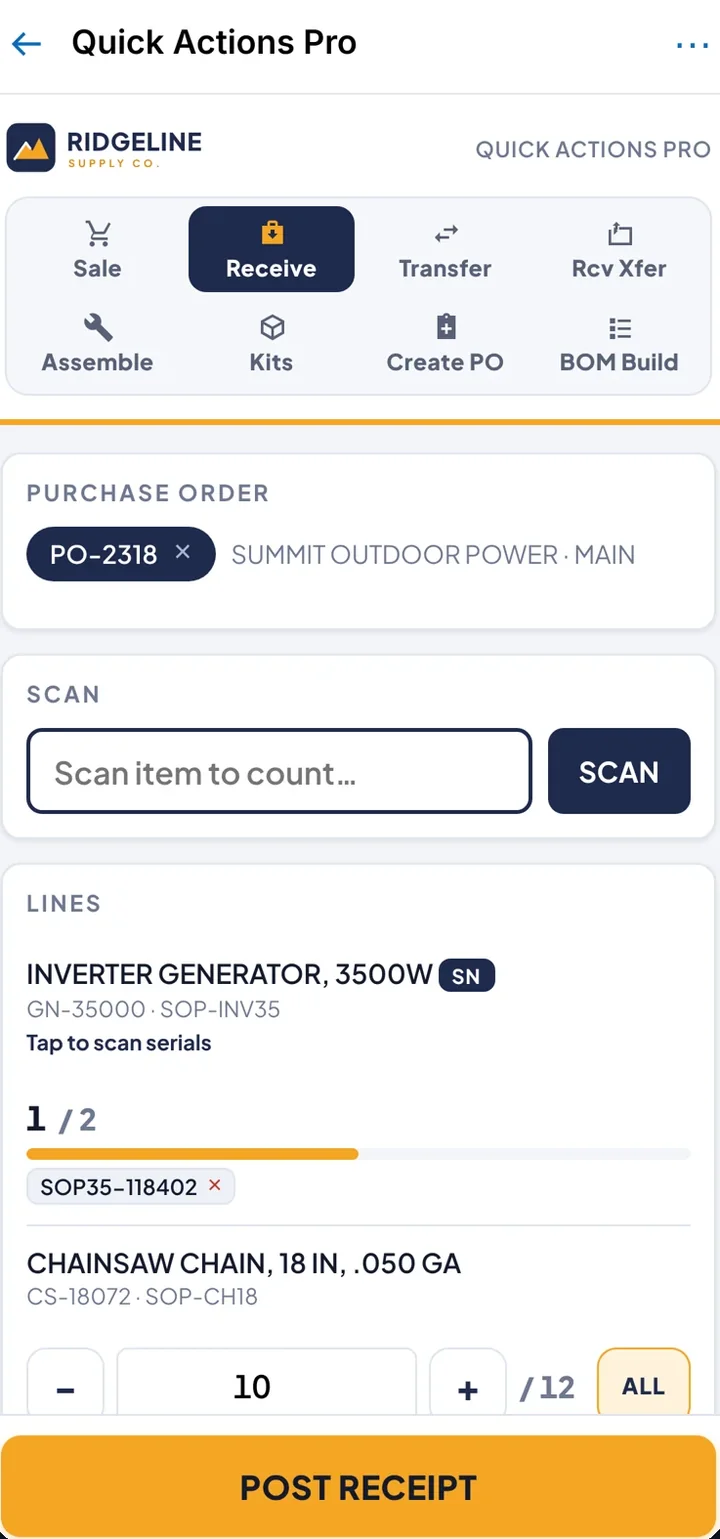
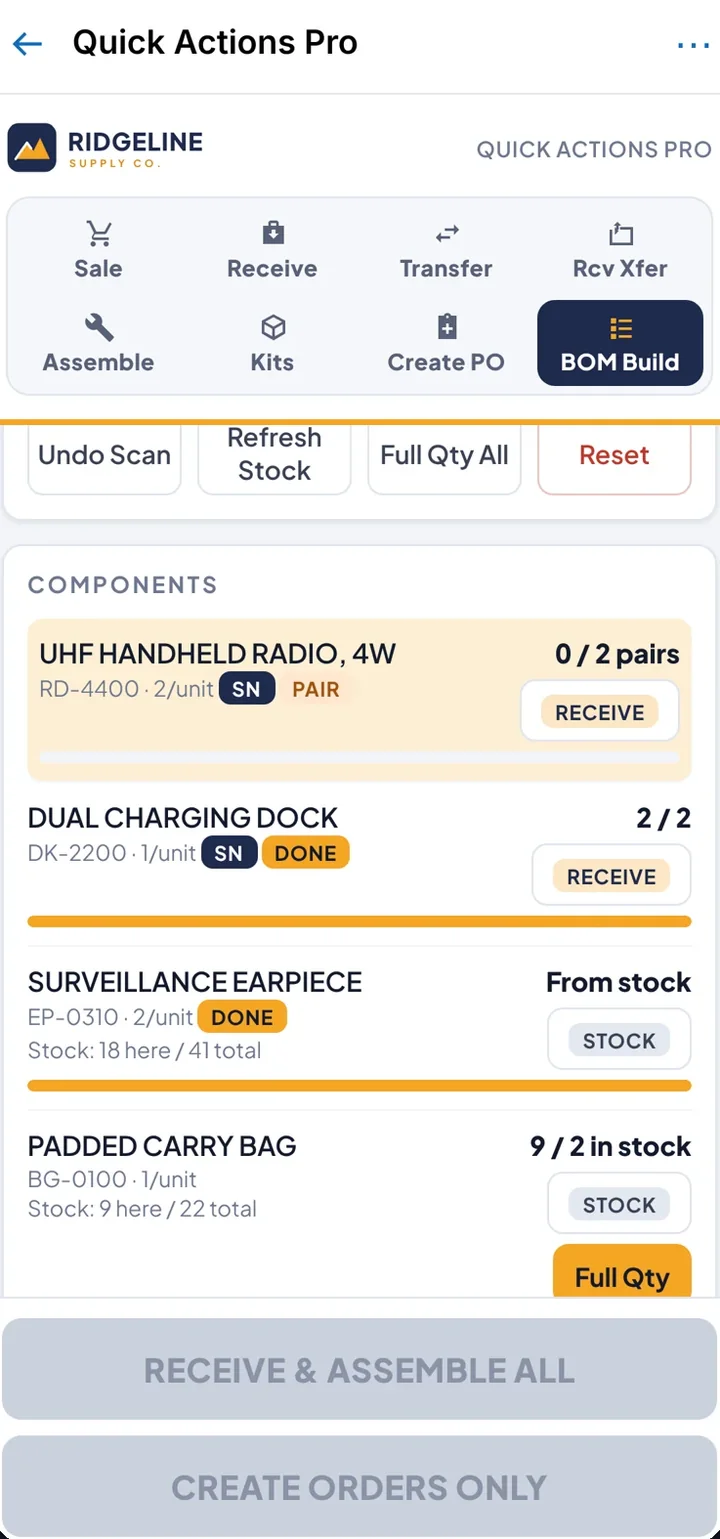
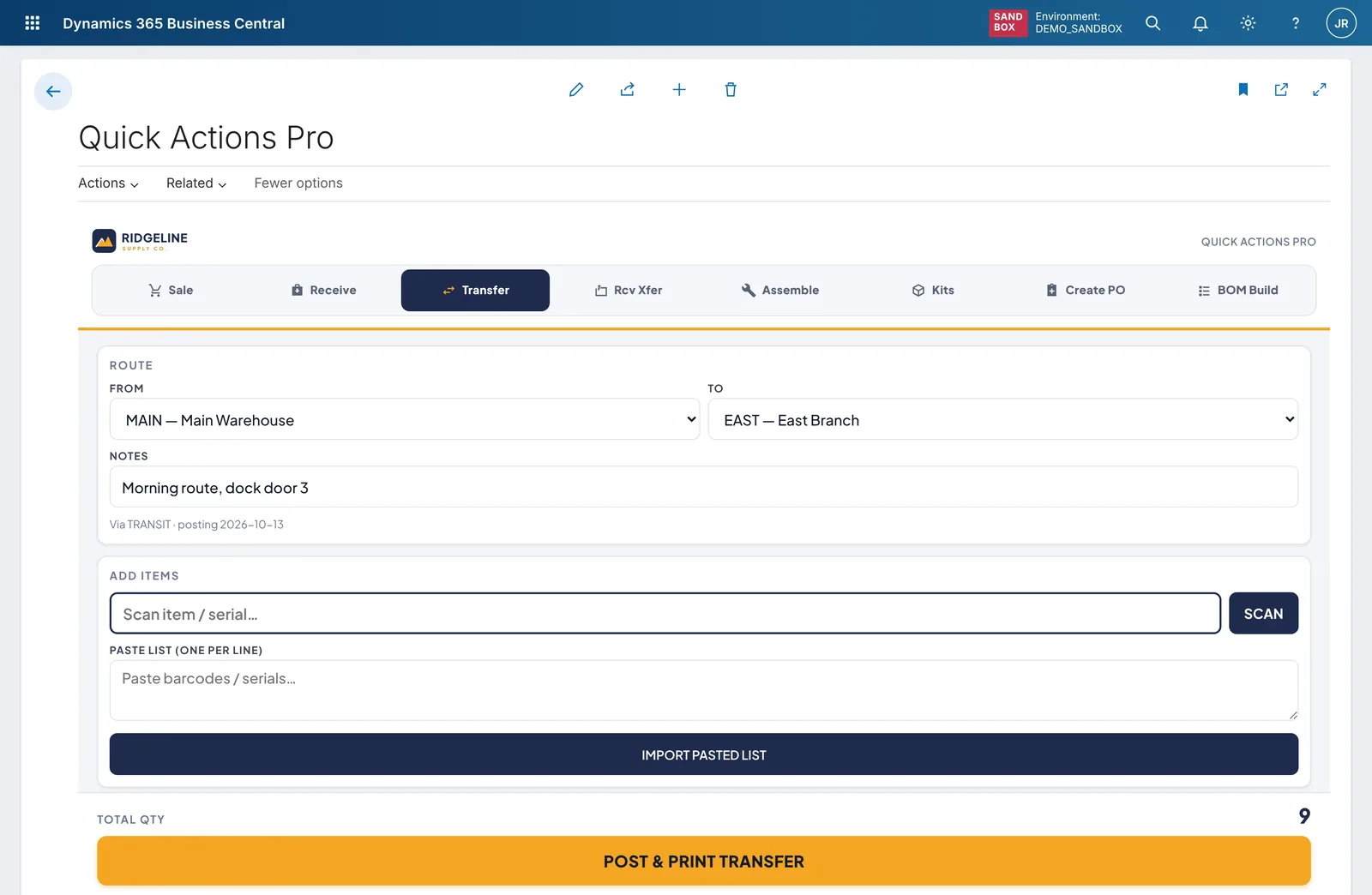
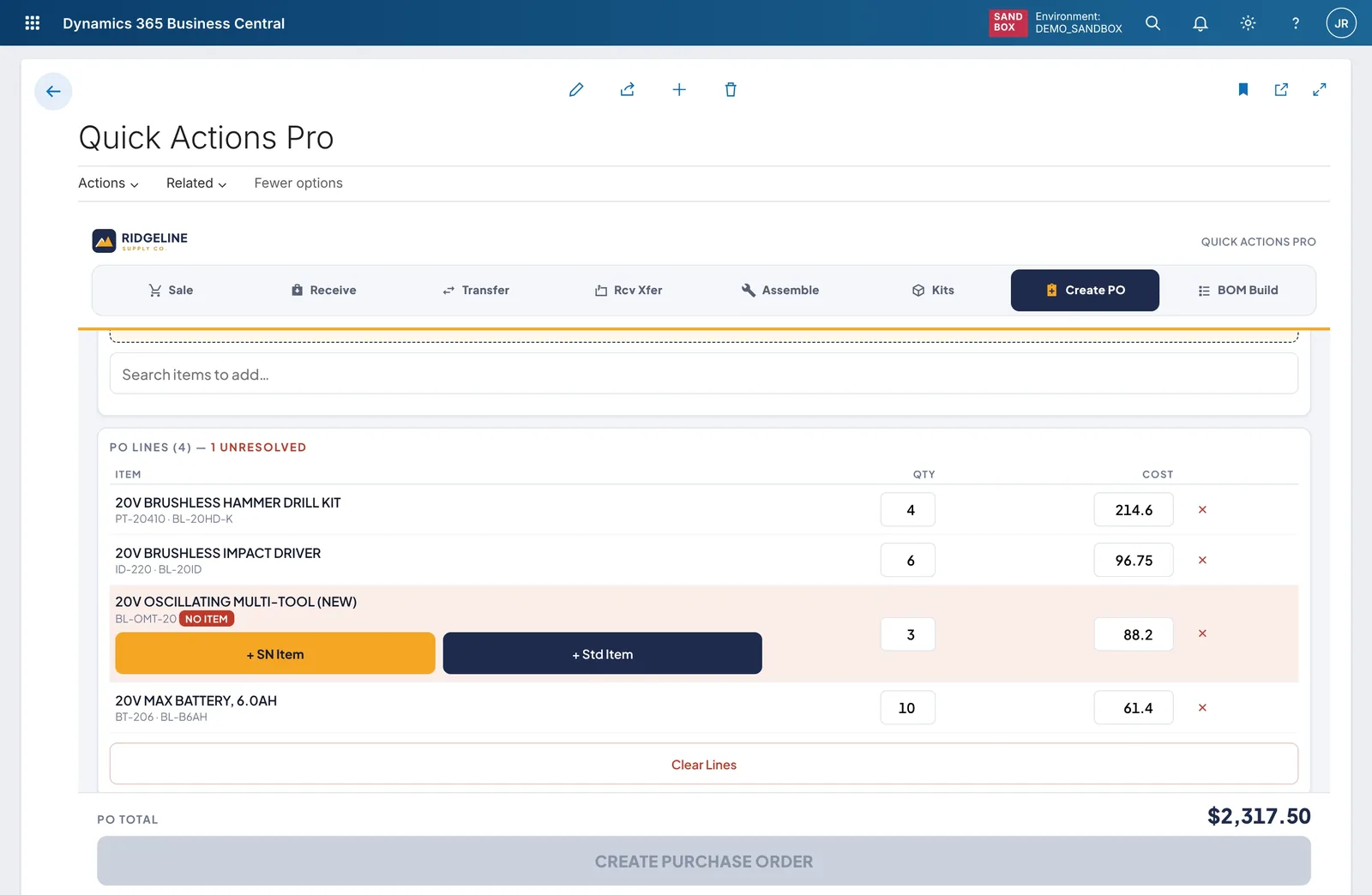
One tabbed control add-in on a Business Central page: Sale, Receive, Transfer, Receive transfer, Assemble, Kits, Create PO and BOM build. Every tab starts with a scan field and ends with one large button. The same screen runs on a phone.
How it works now
Staff learn one screen instead of eight page types. Serials are captured as they’re scanned. A sale shows cost and margin on every line before checkout, and a PO line for an item that doesn’t exist yet can be created on the spot.
02 · Rental Center
A rental manager’s whole morning on one page.
Demo: Summit Ridge Equipment Rental, a multi-branch equipment rental company.
The problem and what we built
The problem
The questions a rental manager asks every day (what’s out, what’s earning its keep, what’s overdue, who’s over their credit limit) have answers spread across contracts, units, posted invoices and reports.
What we built
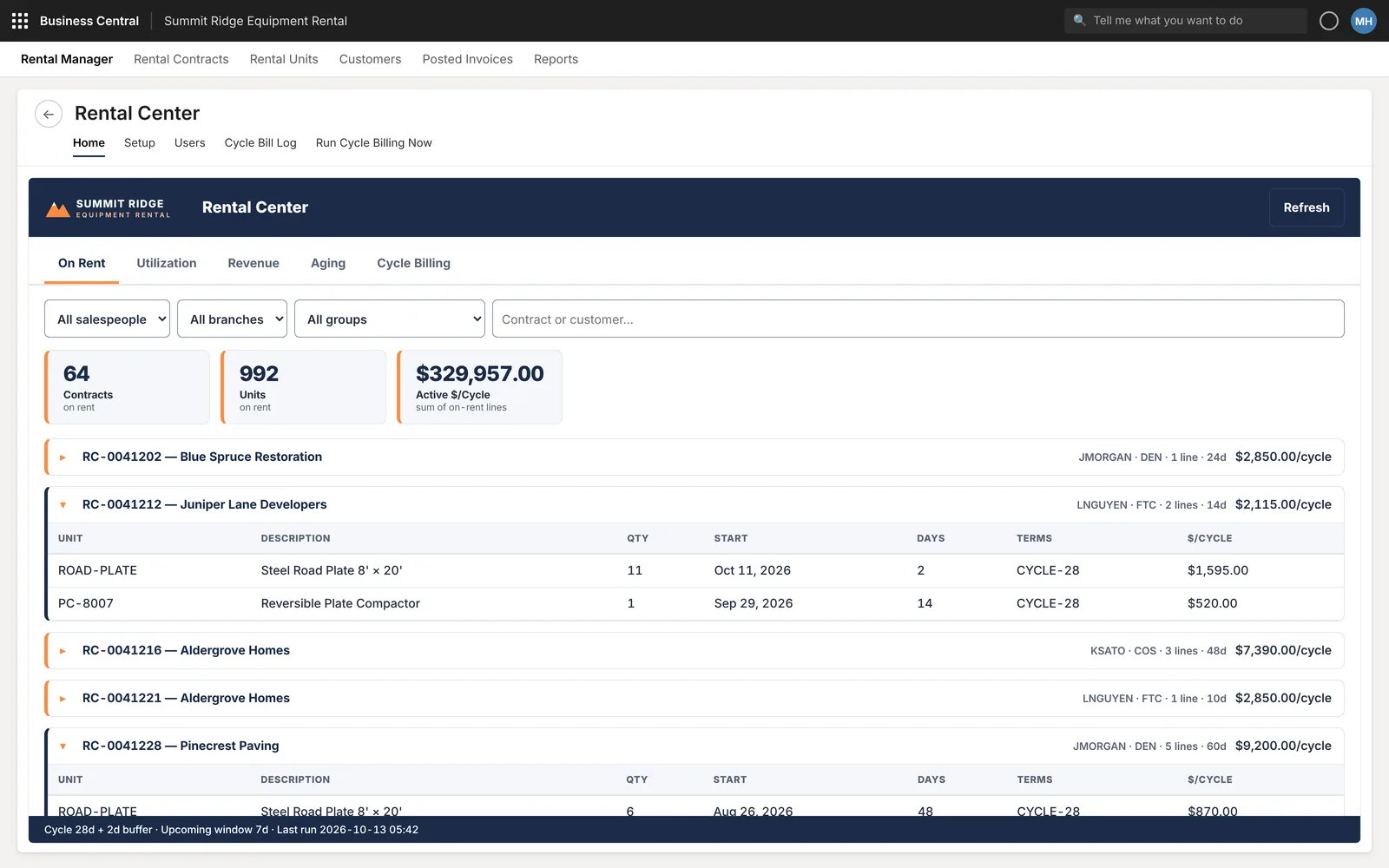
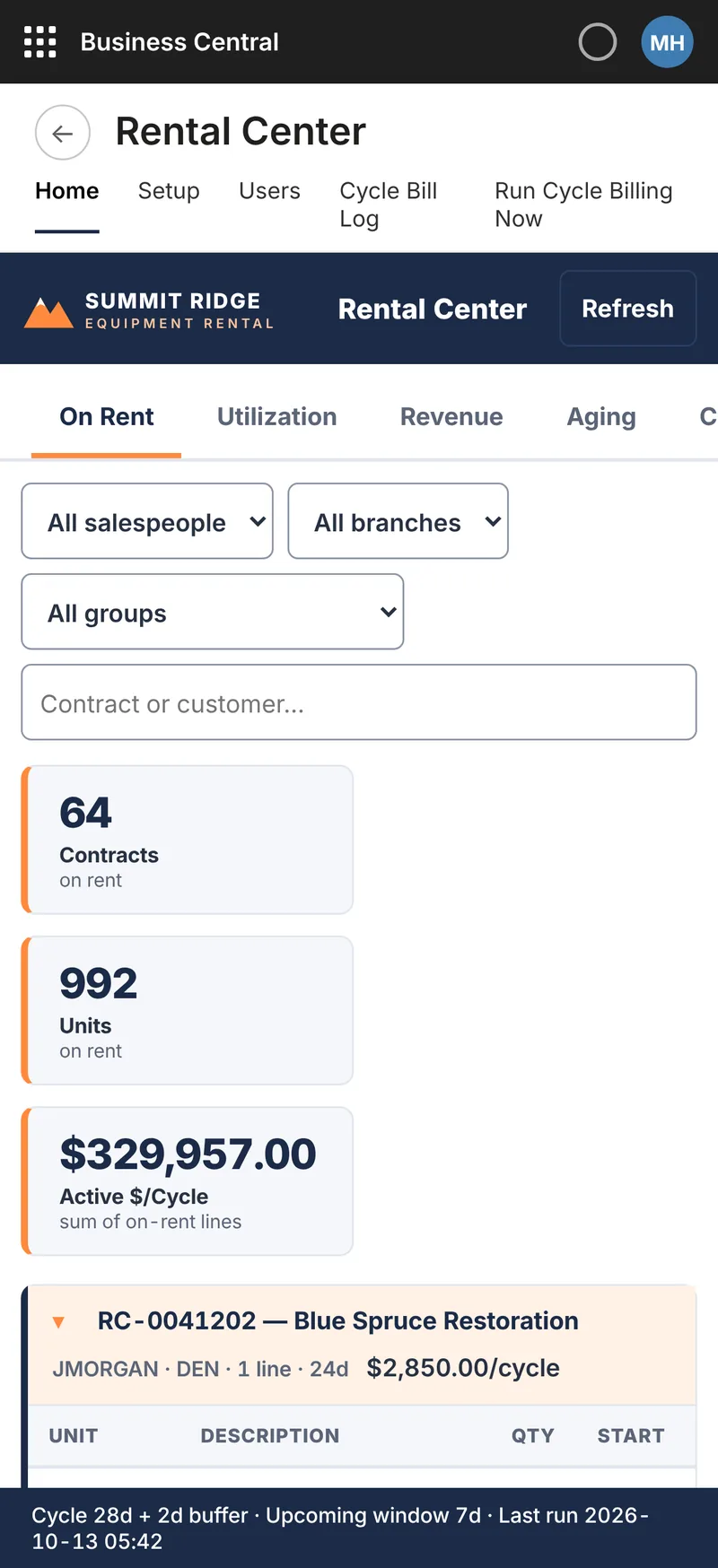
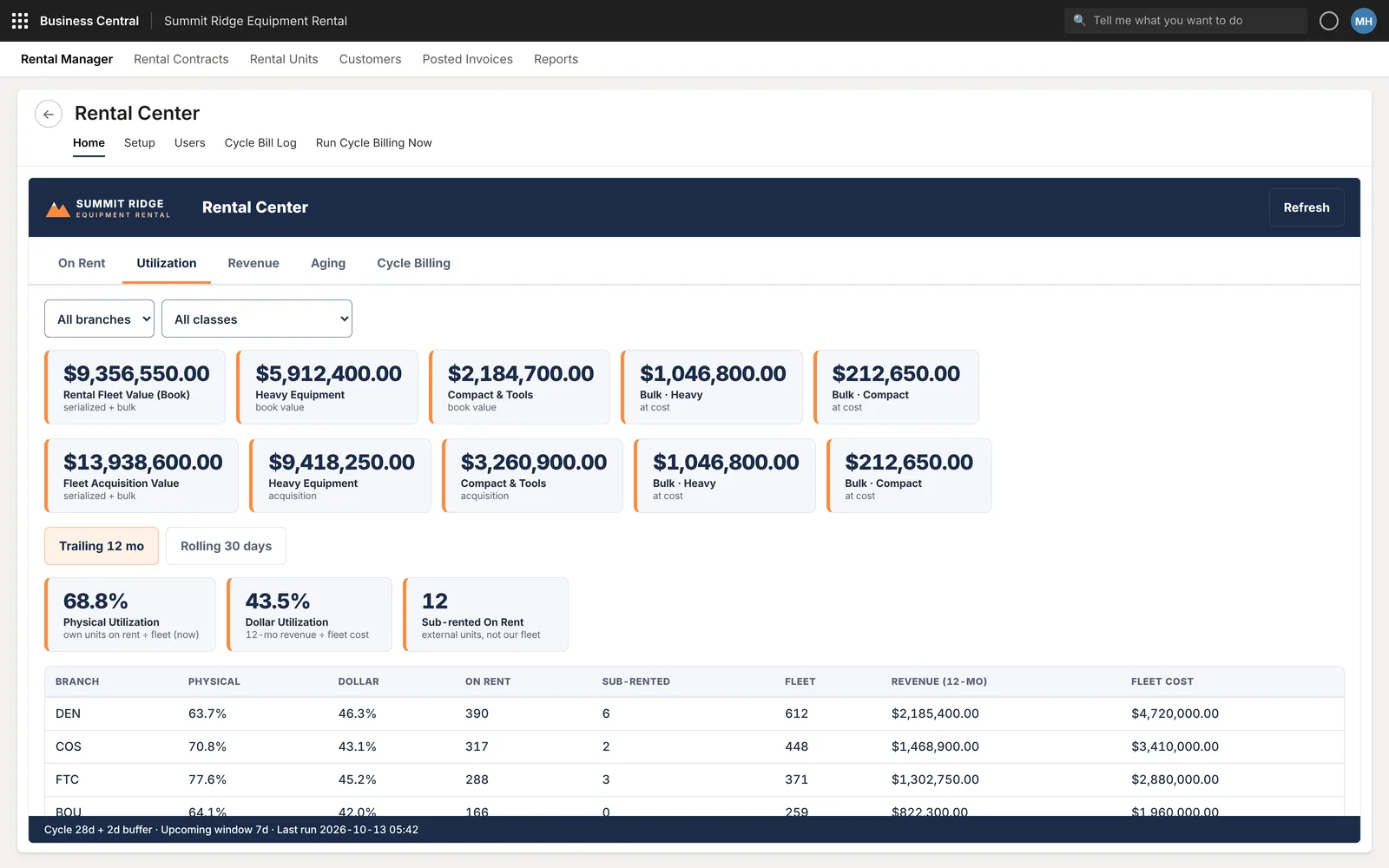
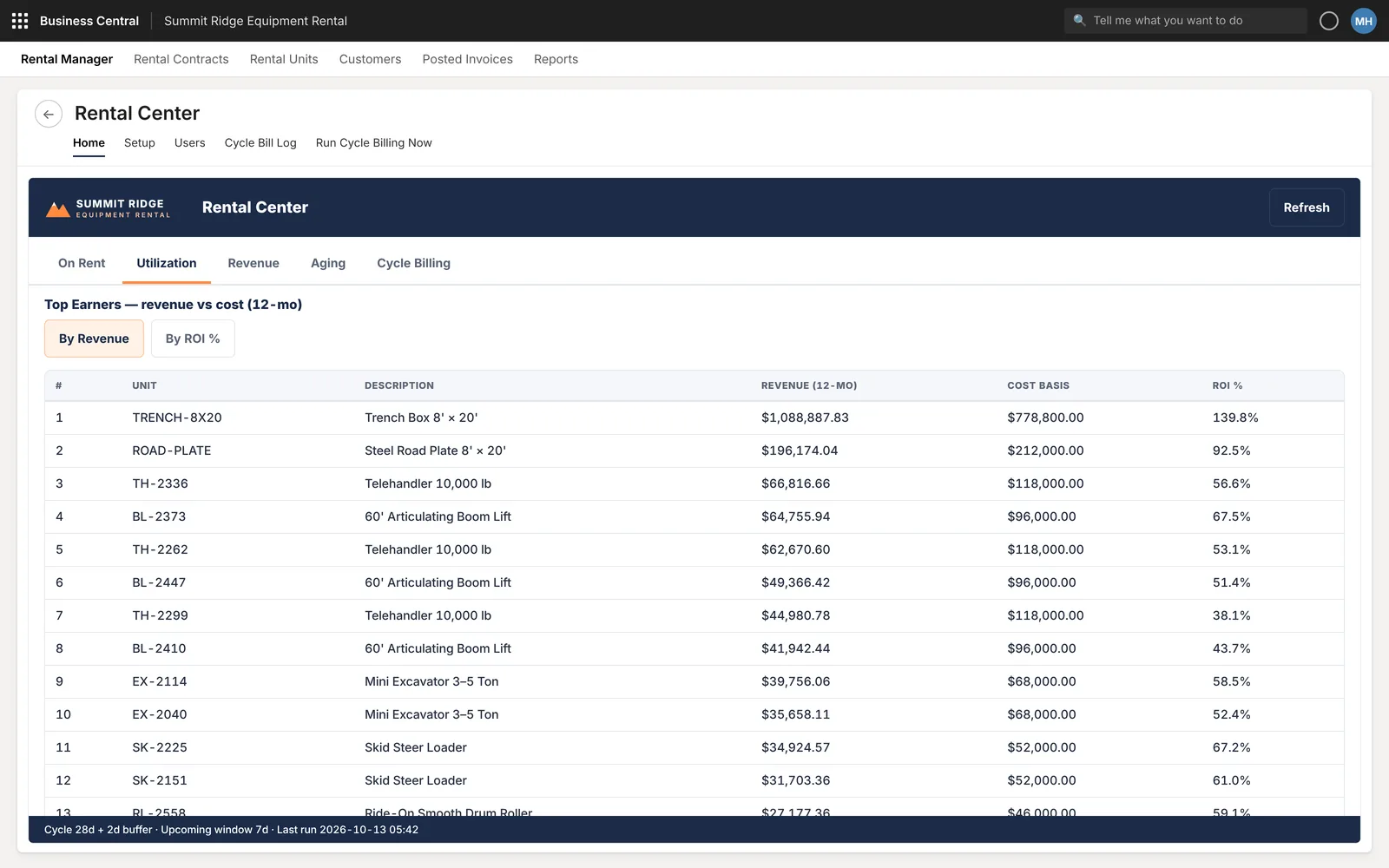
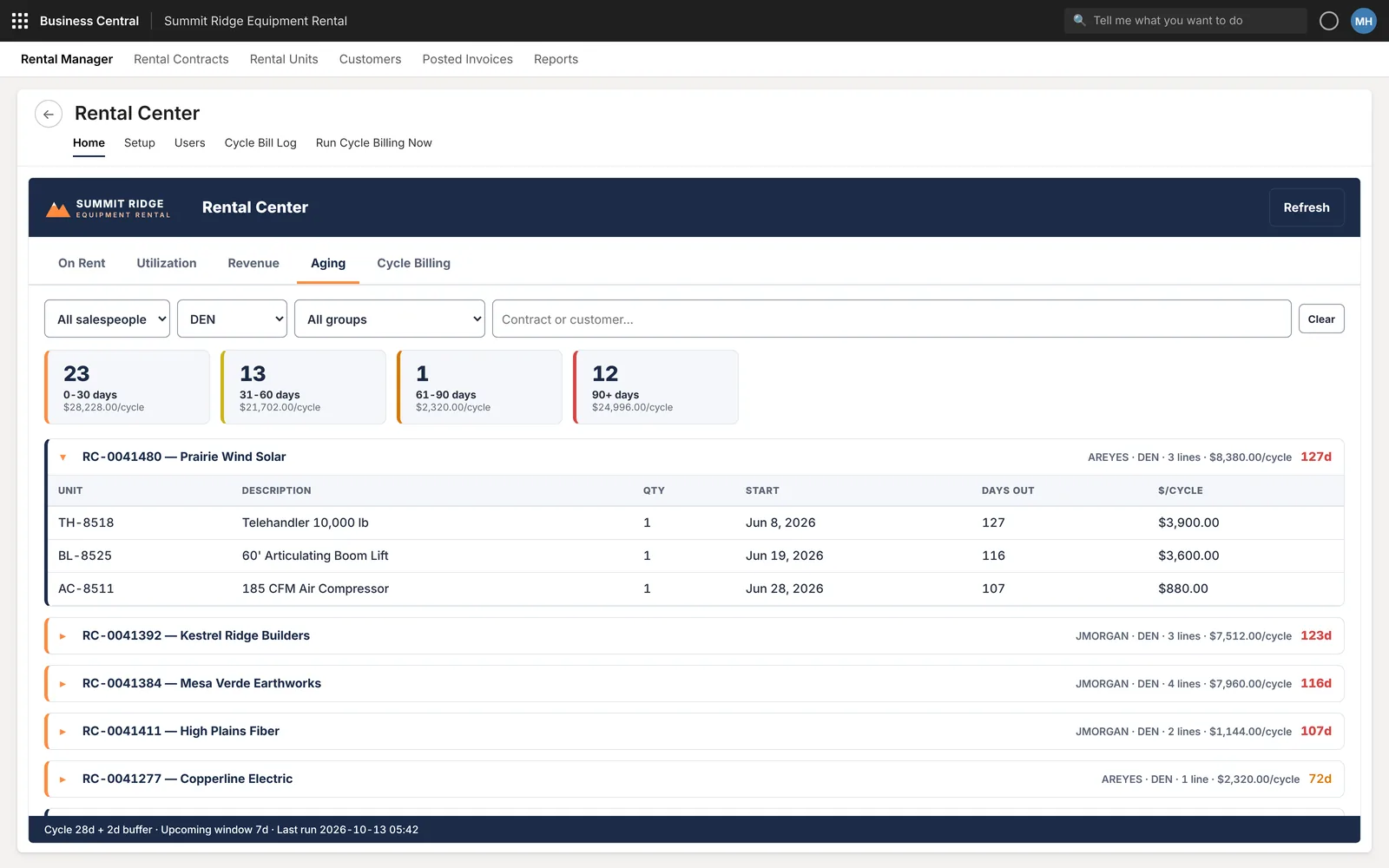
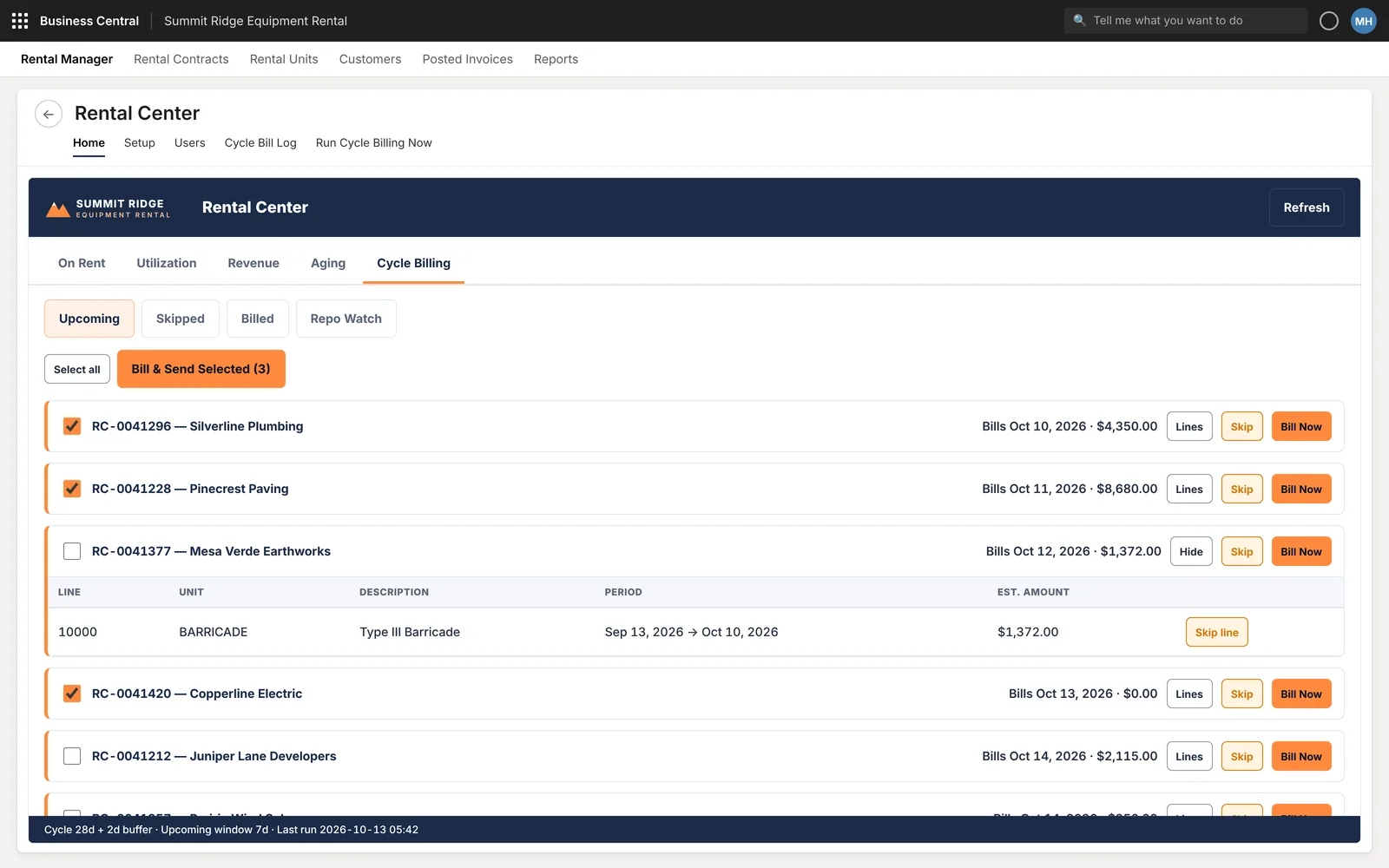
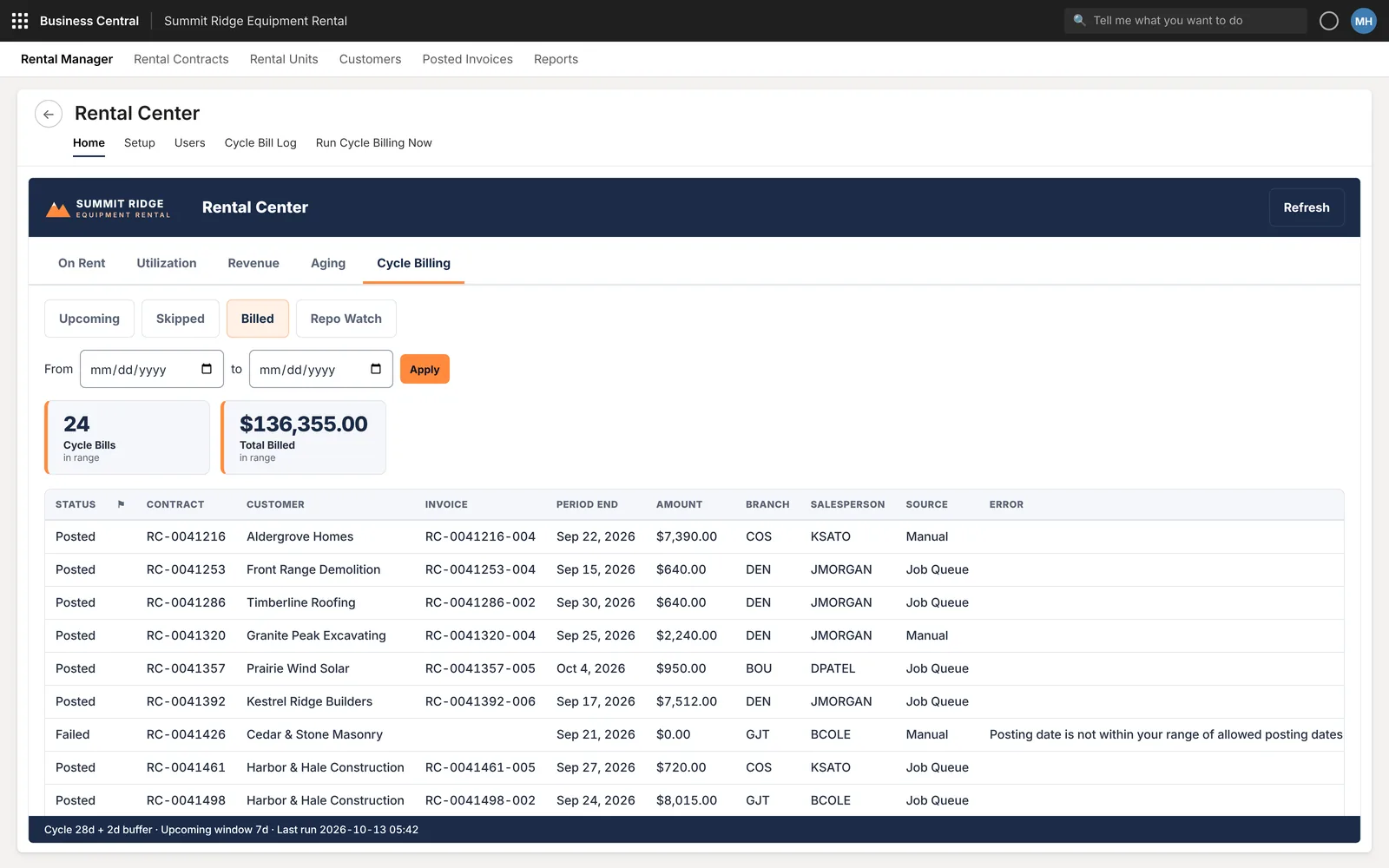
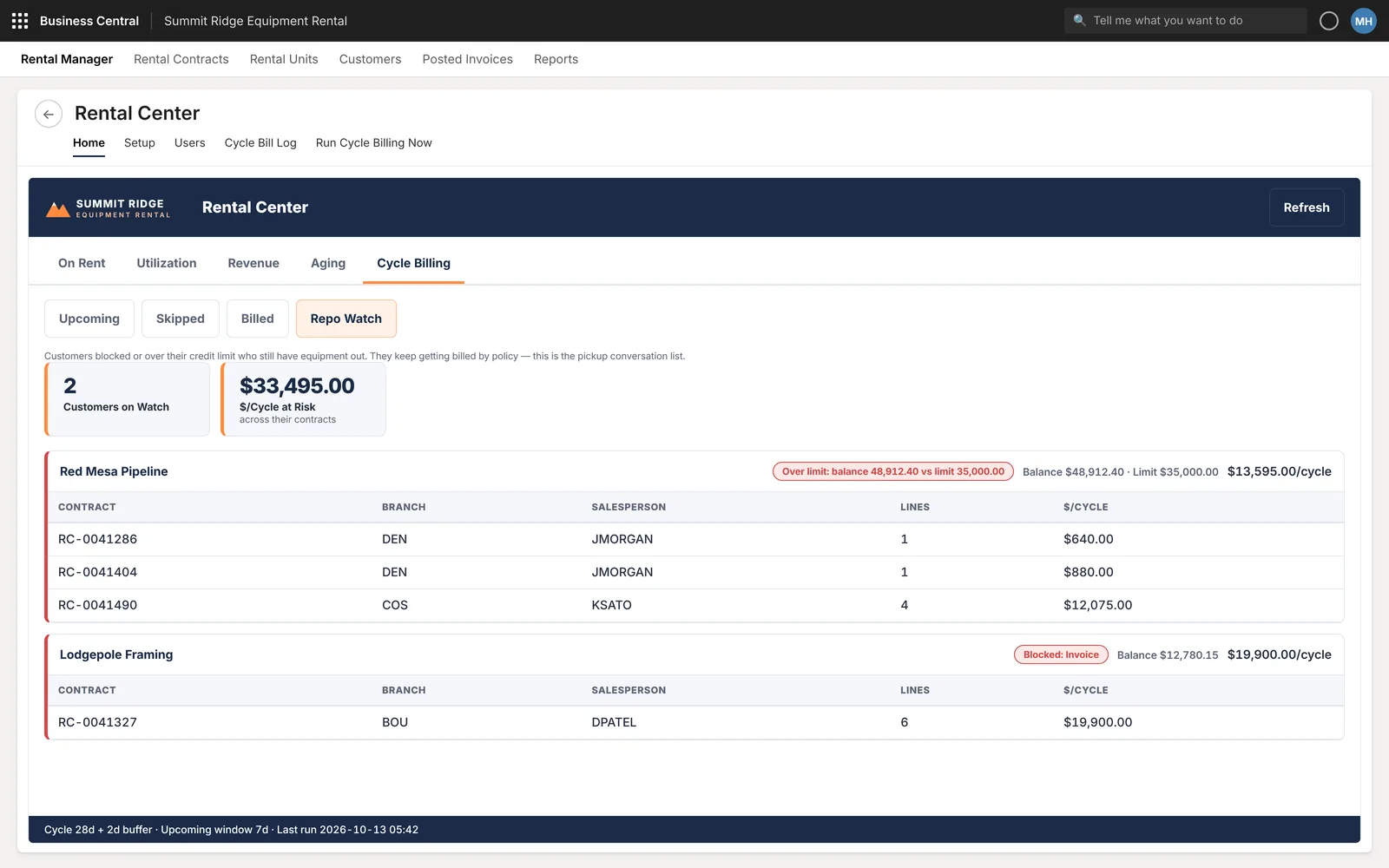
A cockpit page with five tabs. On rent: contract and unit counts plus expandable contracts. Utilization: fleet value and physical and dollar utilization by branch, and top earners by return on cost. Revenue. Aging by days out. Cycle billing: upcoming bills, a billed log and a repo watch list.
How it works now
The daily check is one page with filters by salesperson, branch and group. Cycle billing runs from a list where each contract can be billed now or skipped, failed postings show their error next to the contract, and customers over their limit with equipment still out are listed in one place.
03 · Purchasing Dashboard
Buy for five stores without a spreadsheet in between.
Demo: Cobalt Supply, a distributor with five stores.
The problem and what we built
The problem
Working out what to reorder, from which vendor and for which store usually means exporting to Excel, adding up demand and stock by hand, and only then creating purchase orders. Stock sitting in another store is easy to miss.
What we built
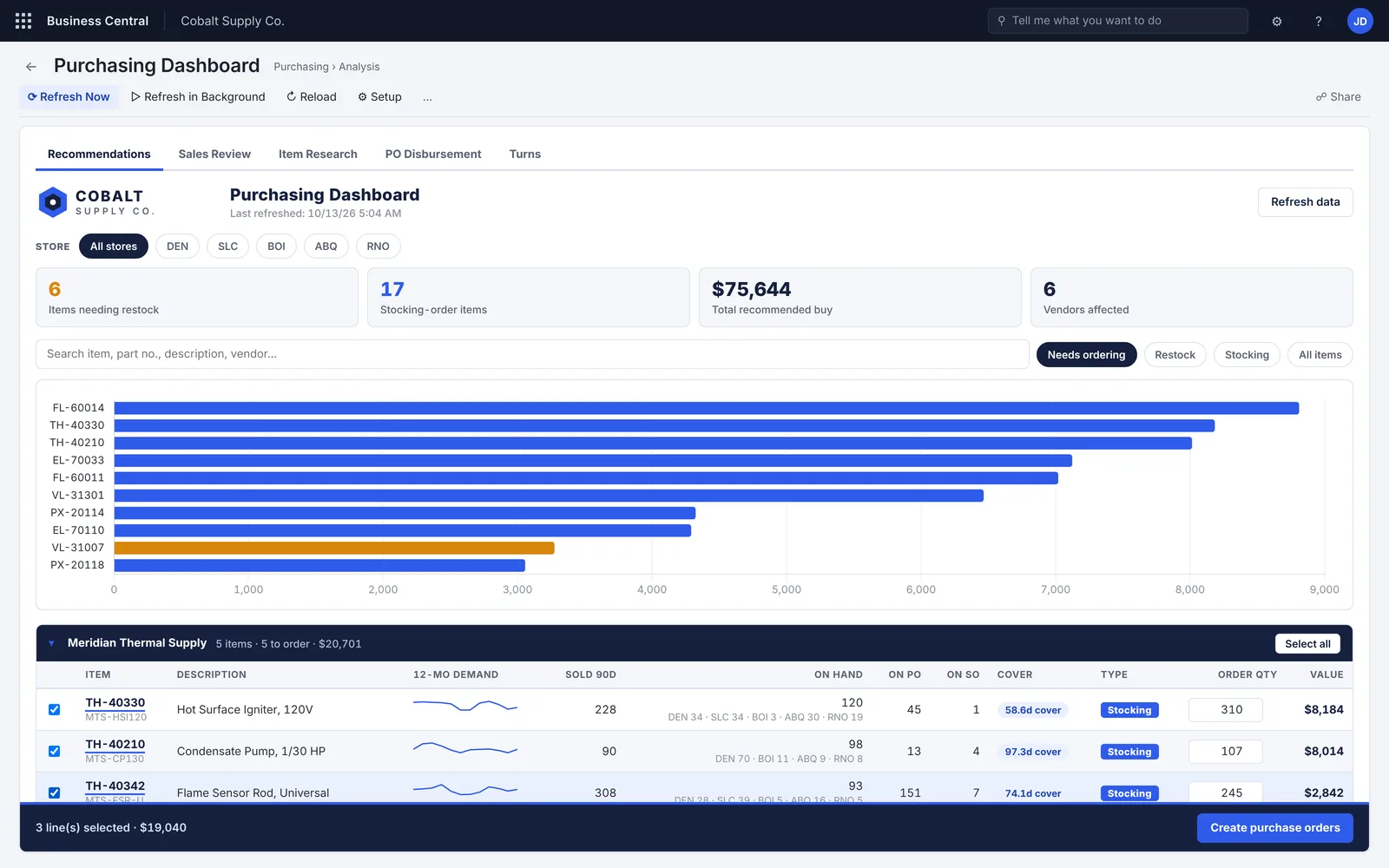
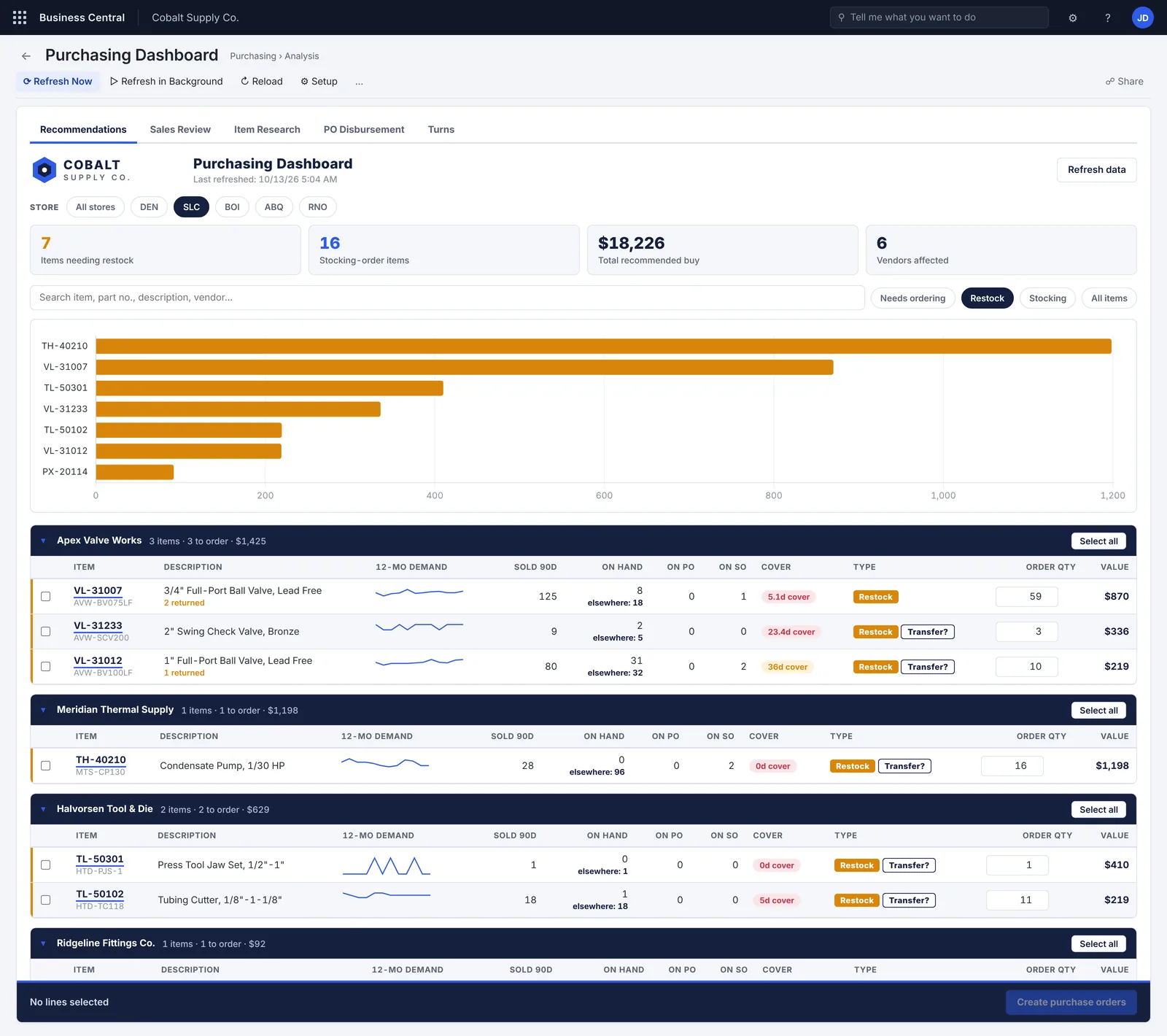
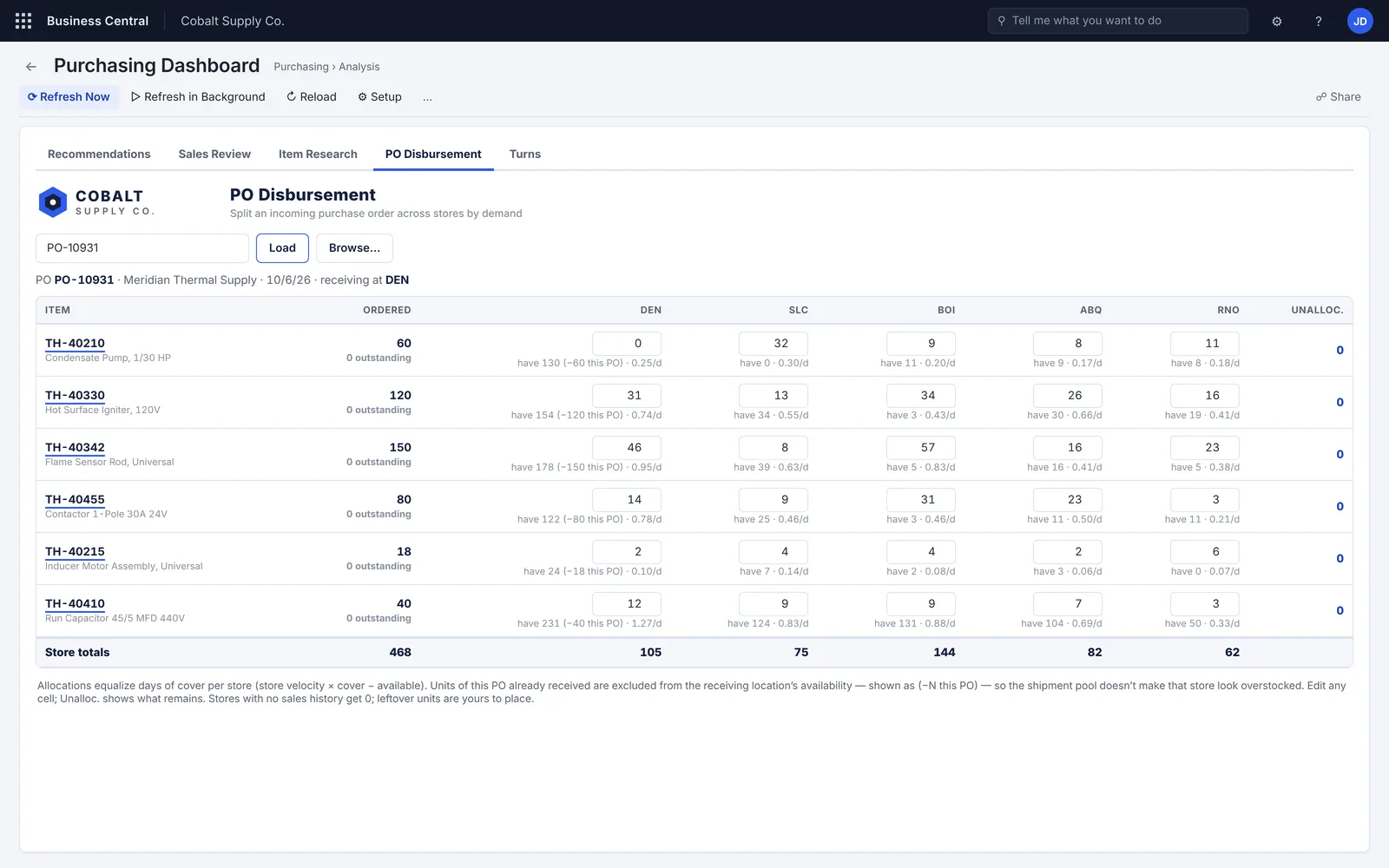
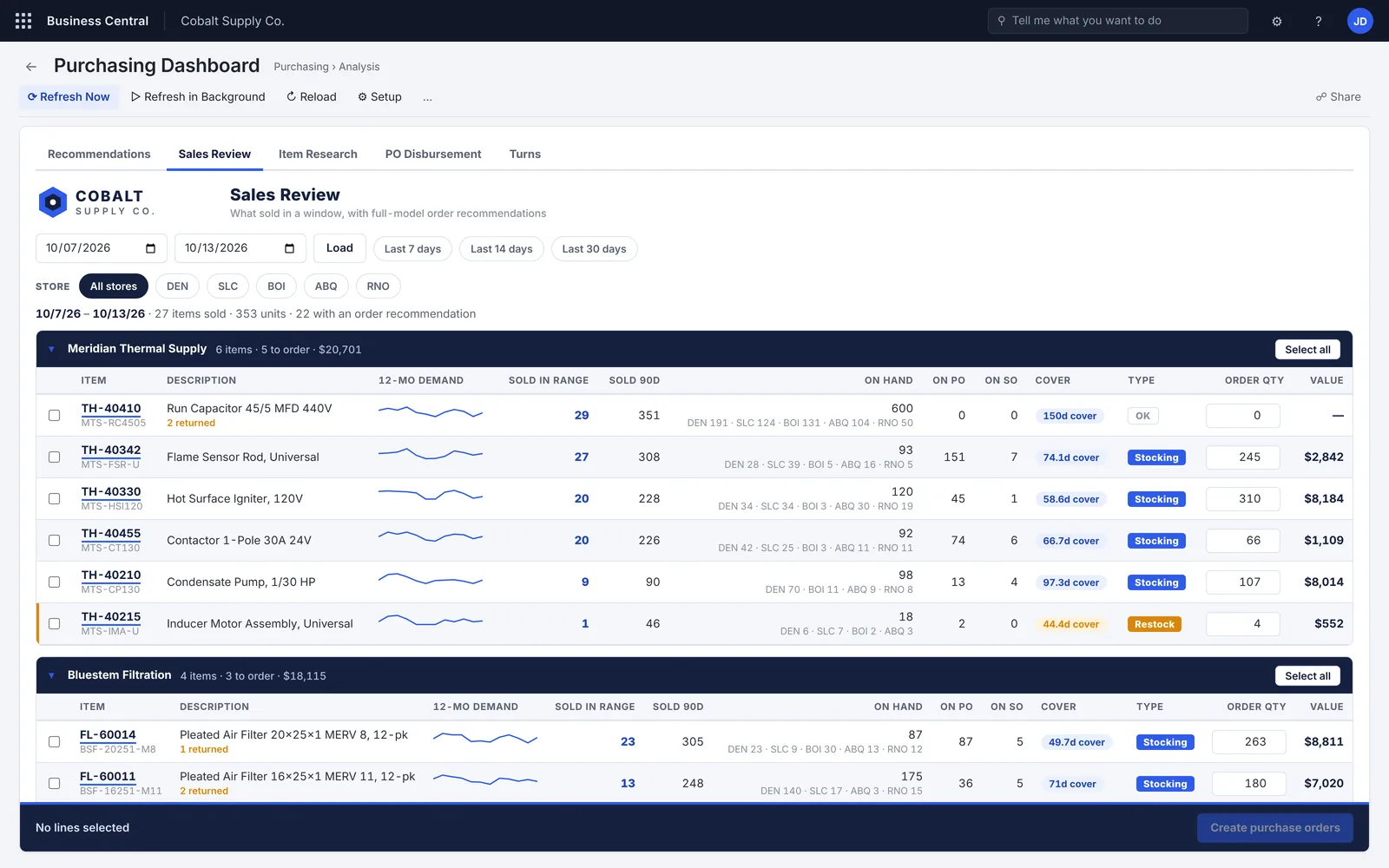
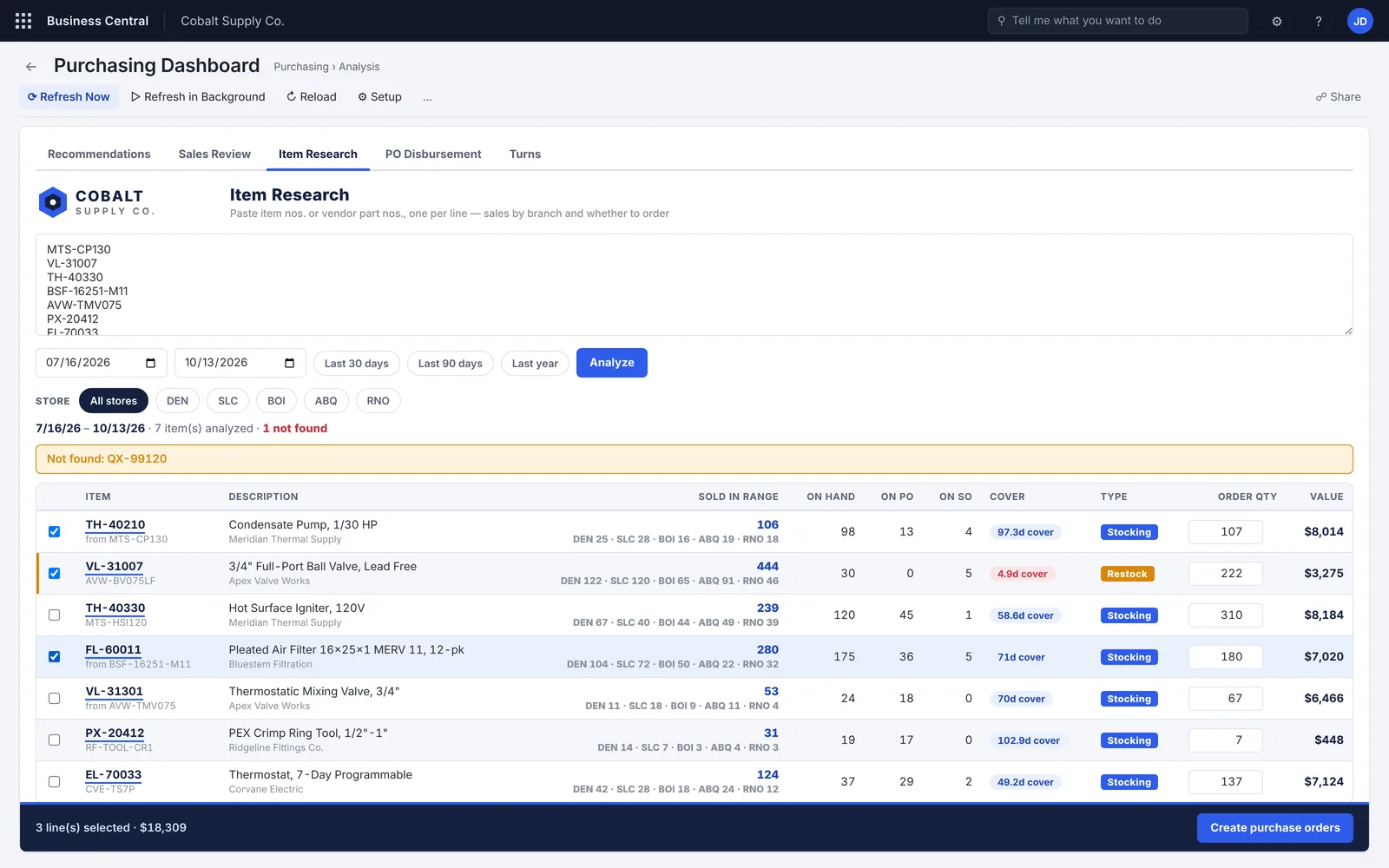
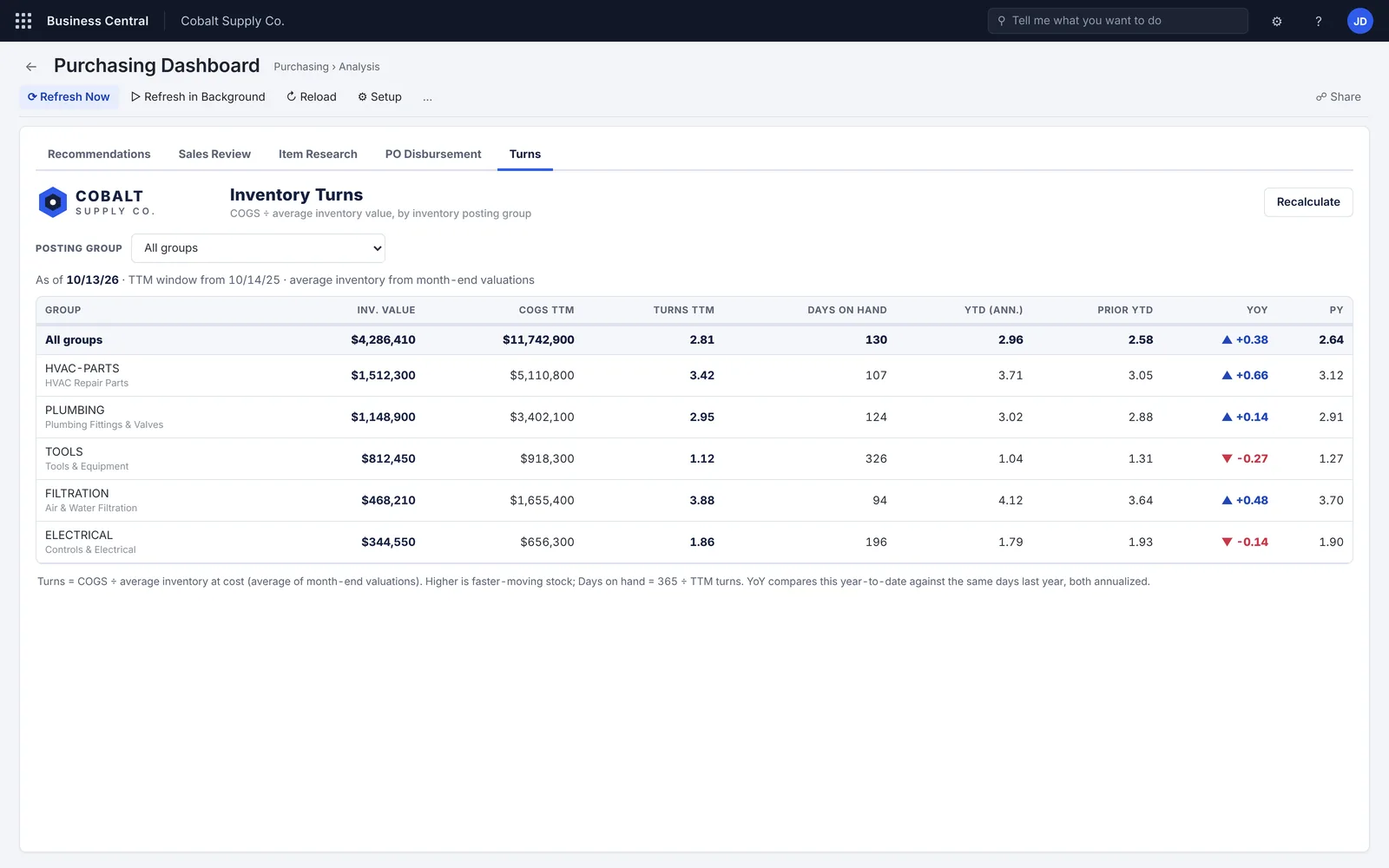
Restock recommendations grouped by vendor, with 12-month demand, stock by store, days of cover and an editable order quantity. A store view that flags when another store could transfer instead. Sales review by date range, item research from a pasted list, a PO splitter that divides an incoming order across stores by demand, and inventory turns against last year.
How it works now
The buyer reviews, adjusts and selects lines on one page, then creates the purchase orders from it. When an order arrives, its allocation to each store is worked out on screen and can still be edited cell by cell.
04 · Price List Manager
Check a vendor’s price file before it changes a single price.
Demo: Ridgeline Supply, with location-specific pricing across branches.
The problem and what we built
The problem
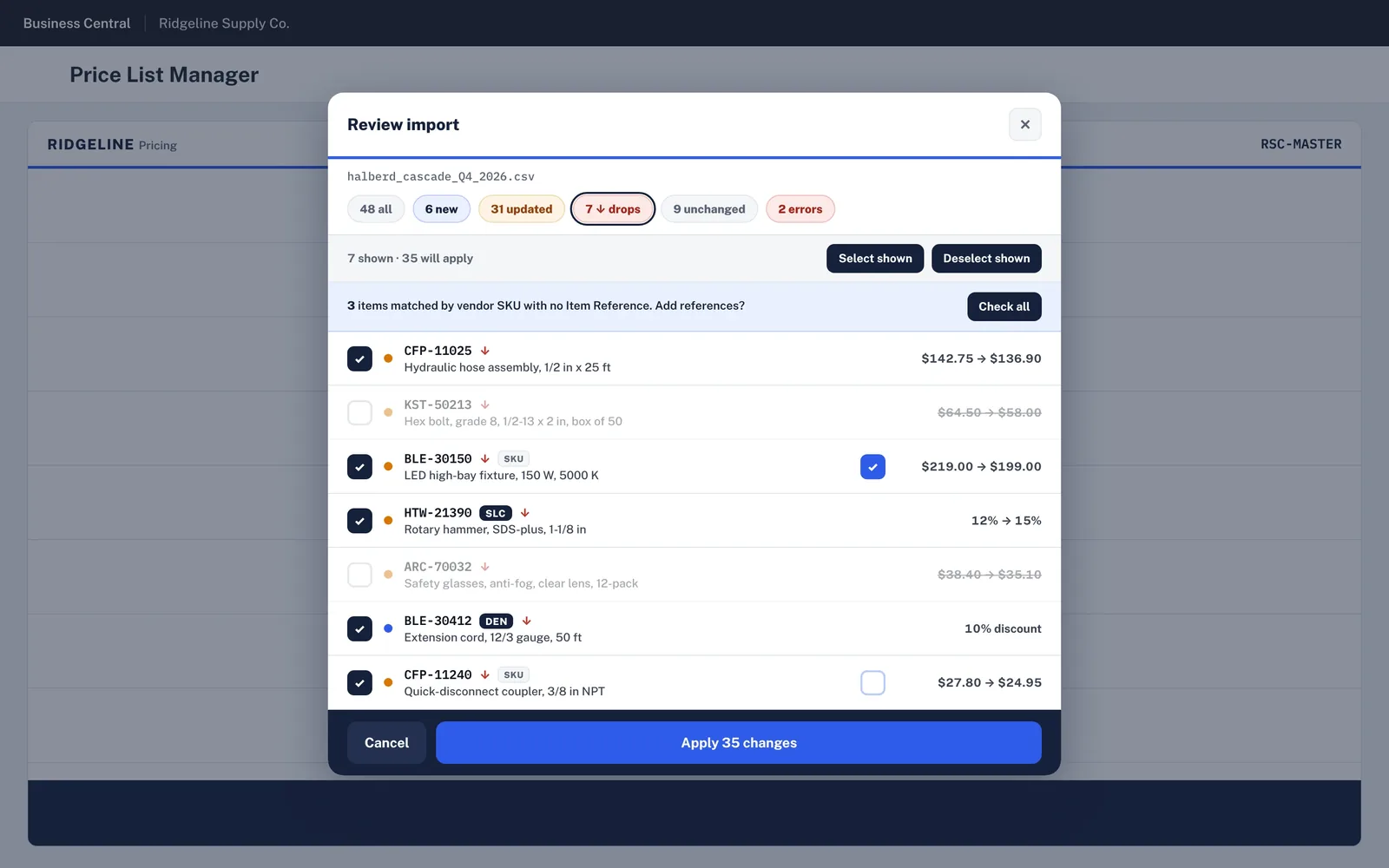
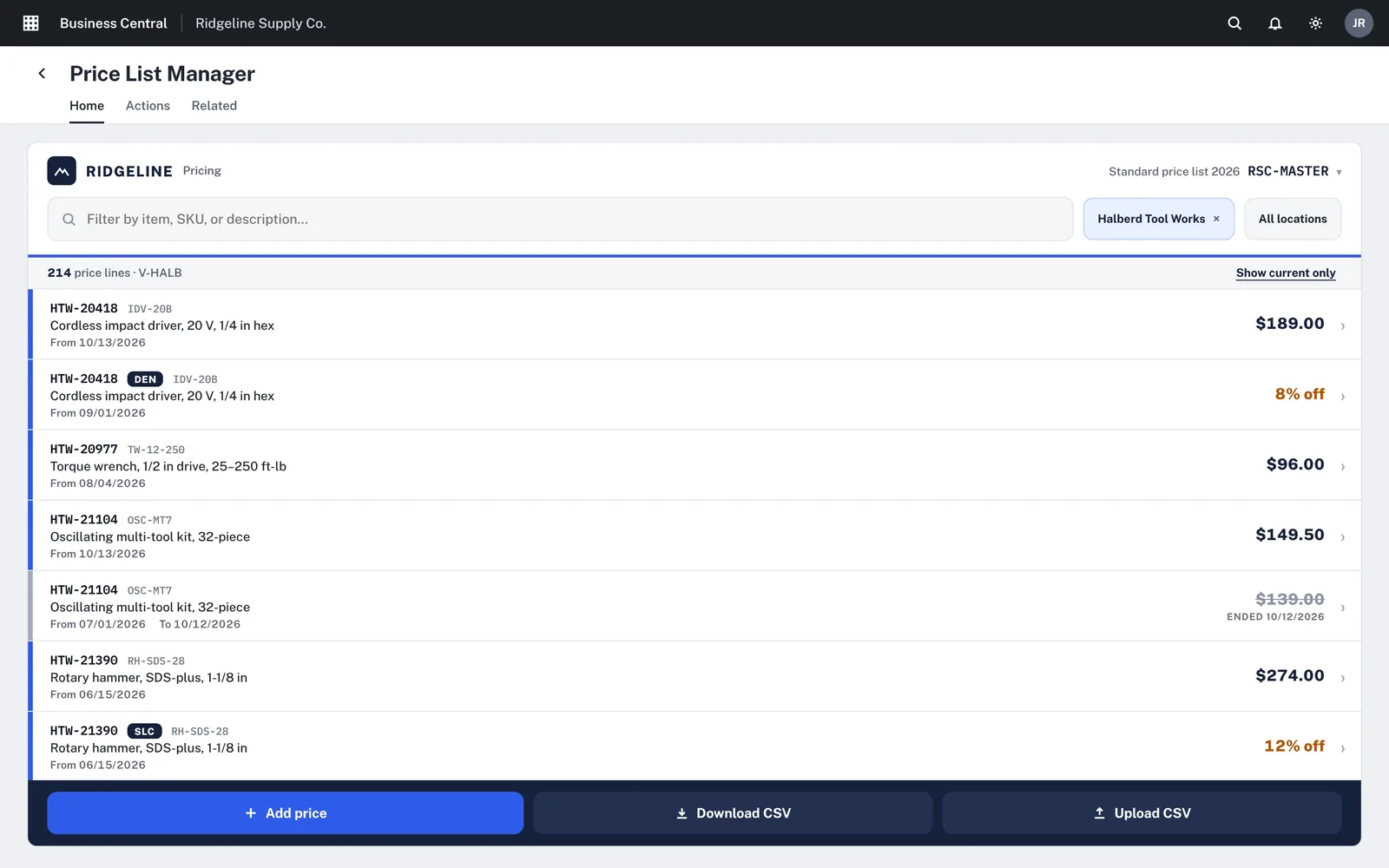
New vendor prices arrive as spreadsheets. In standard Business Central, loading them means editing price list lines by hand or through Edit in Excel, with no clear view of what will go up, what will drop and what will fail. Branch discounts make it harder still to see which price is live.
What we built
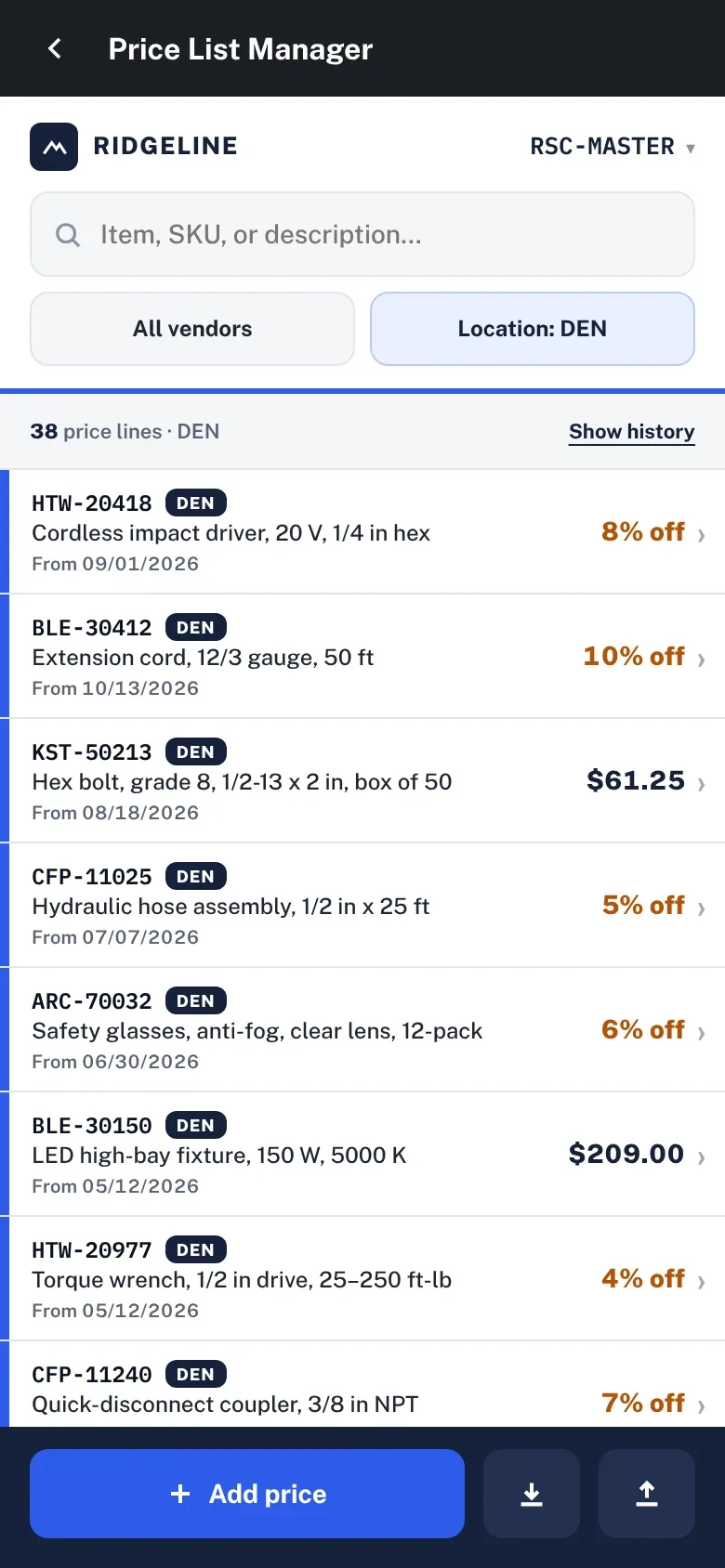
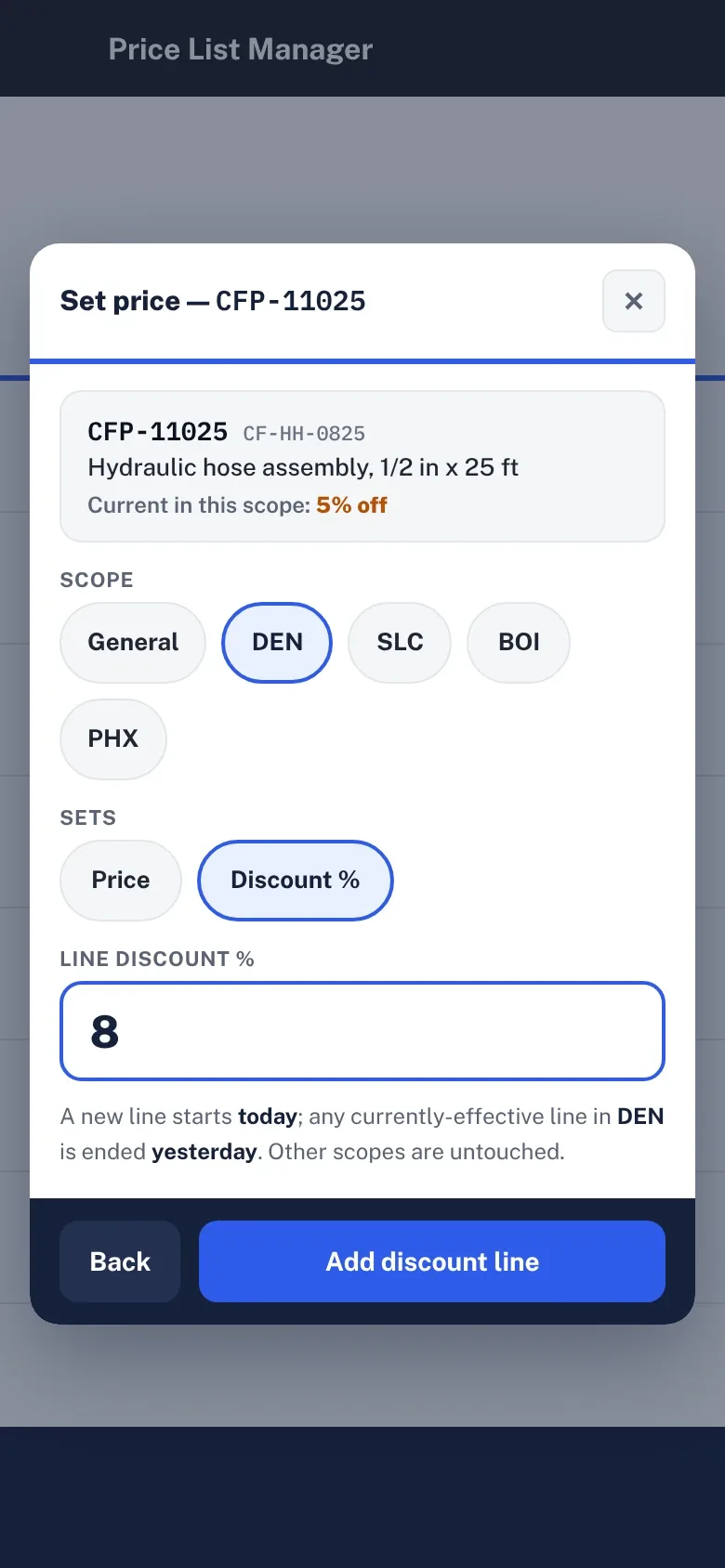
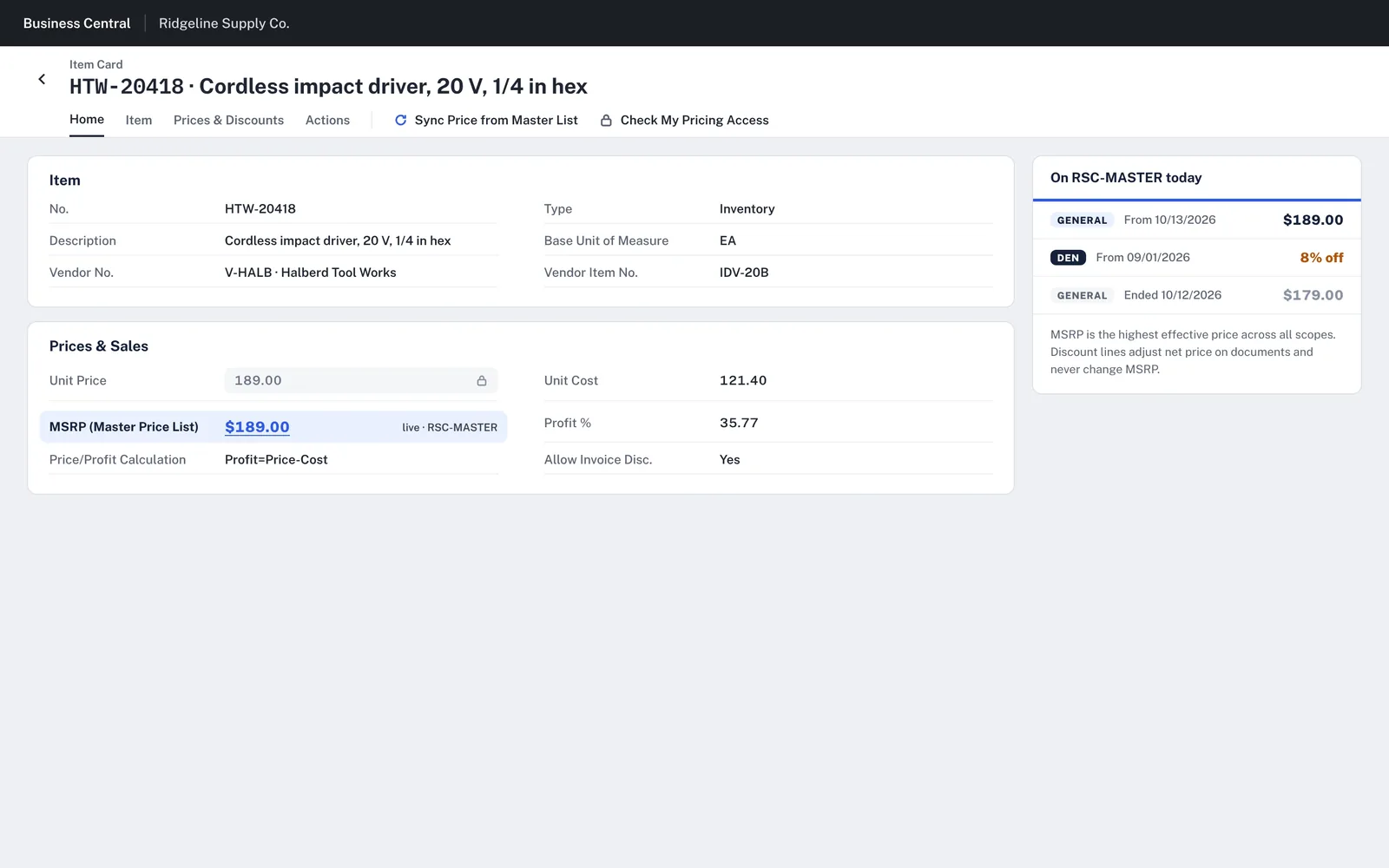
A price list page filtered by vendor and location, showing current, scheduled and ended lines. CSV download and upload, with an import review that sorts the file into new, updated, drops, unchanged and errors. An MSRP panel on the standard Item Card. A phone layout with a discount sheet scoped to all branches or one.
How it works now
Every change in a price file is seen before it’s applied, and lines can be unticked. Setting a branch discount on a phone ends the current line yesterday and starts the new one today, leaving other branches untouched.
05 · Sales Center
From “what are we selling today?” to an order.
Demo: Summit Supply, an equipment dealer whose reps quote packaged systems.
The problem and what we built
The problem
Quoting an equipment package on standard sales pages means adding lines one at a time, checking stock and margin on other pages, then passing the won order to purchasing to buy what isn’t in stock.
What we built
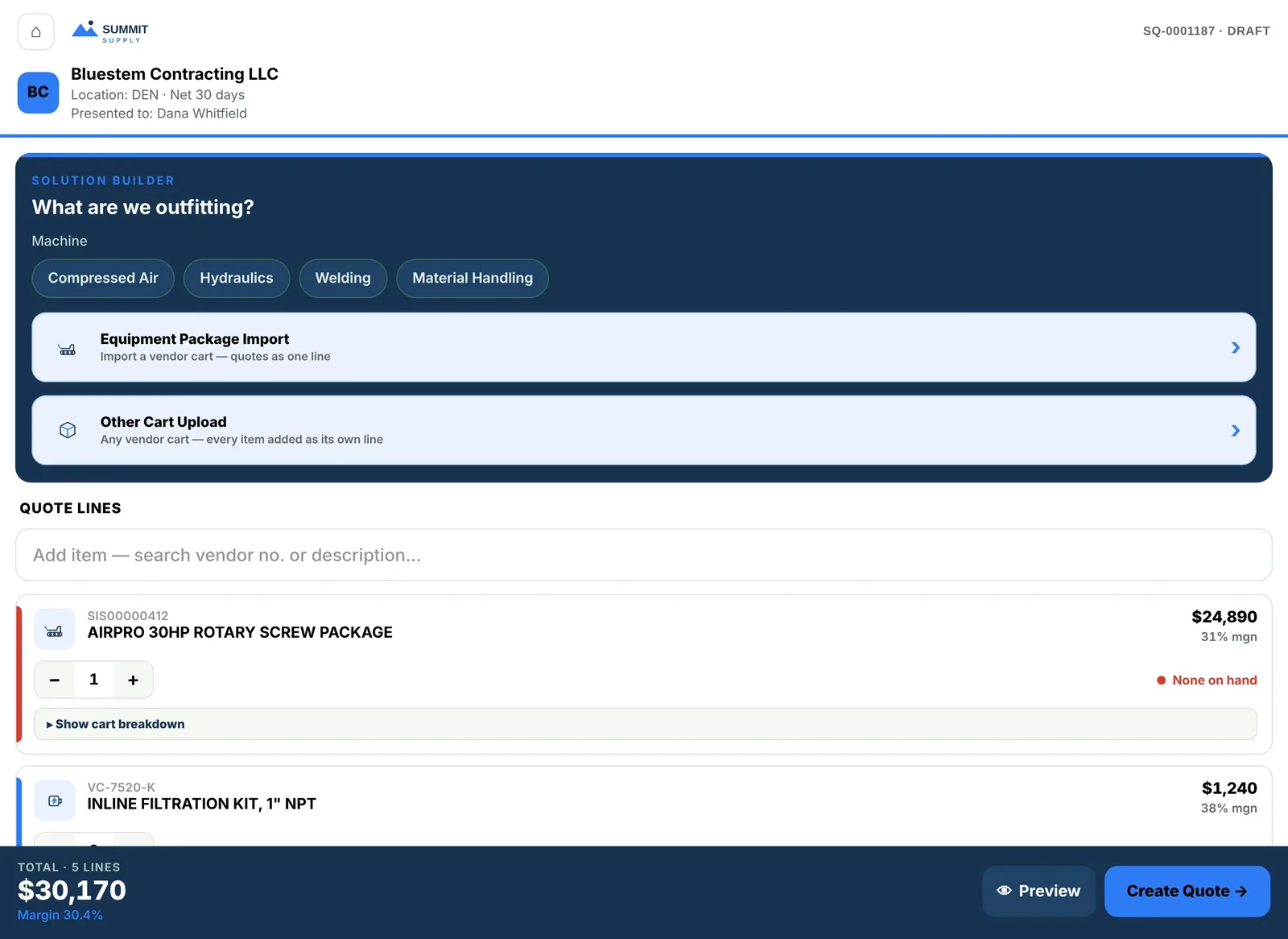
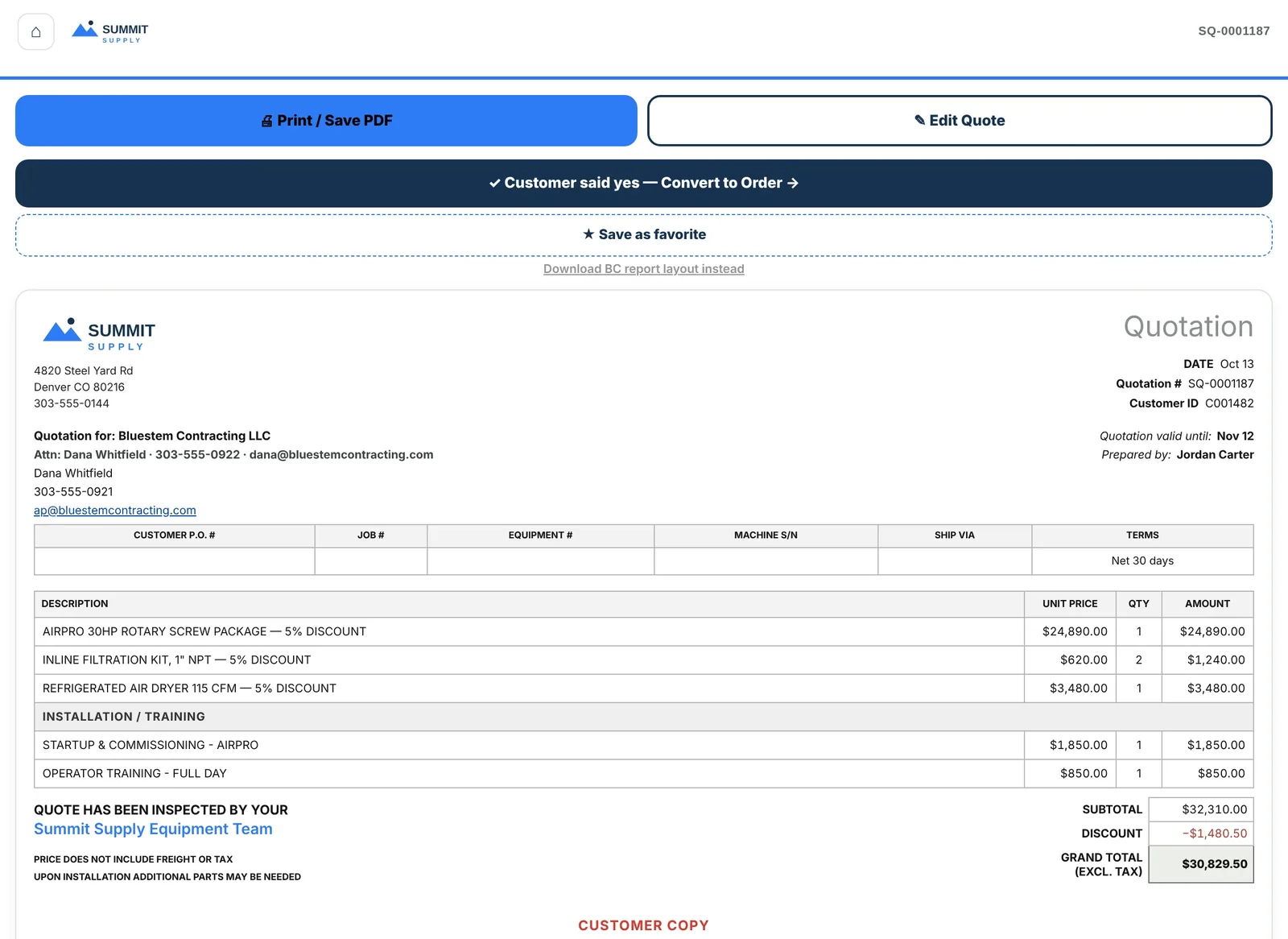
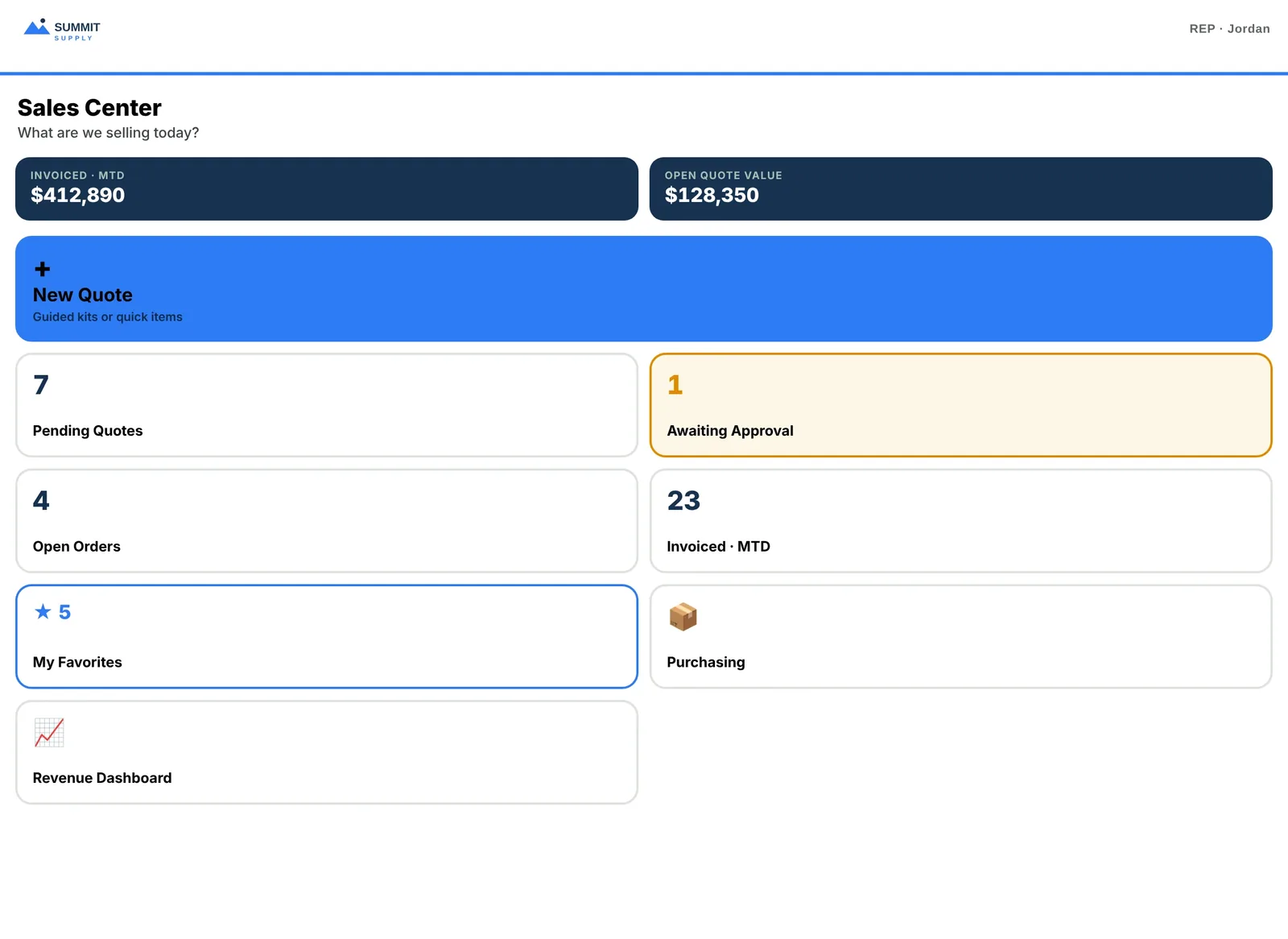
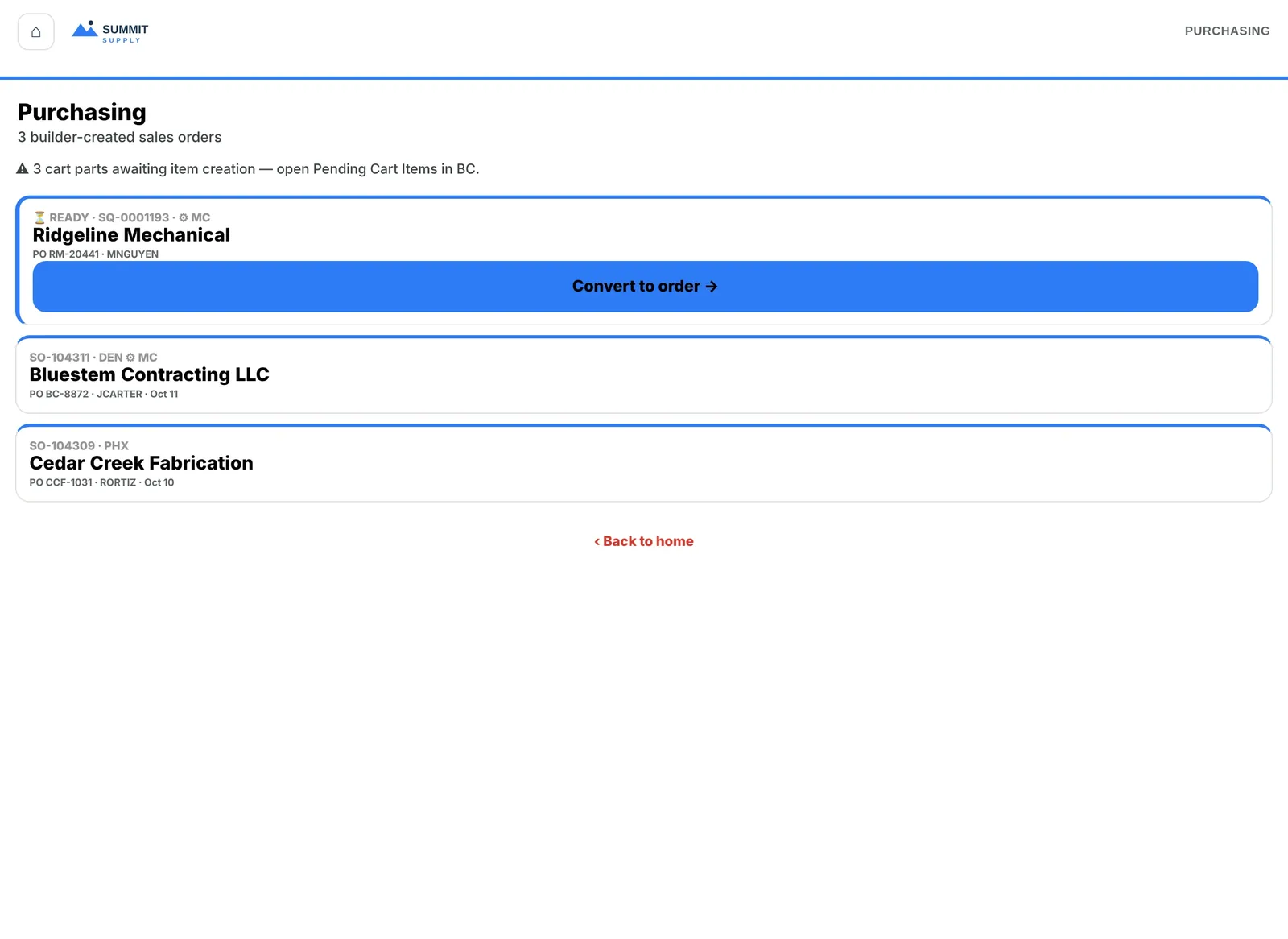
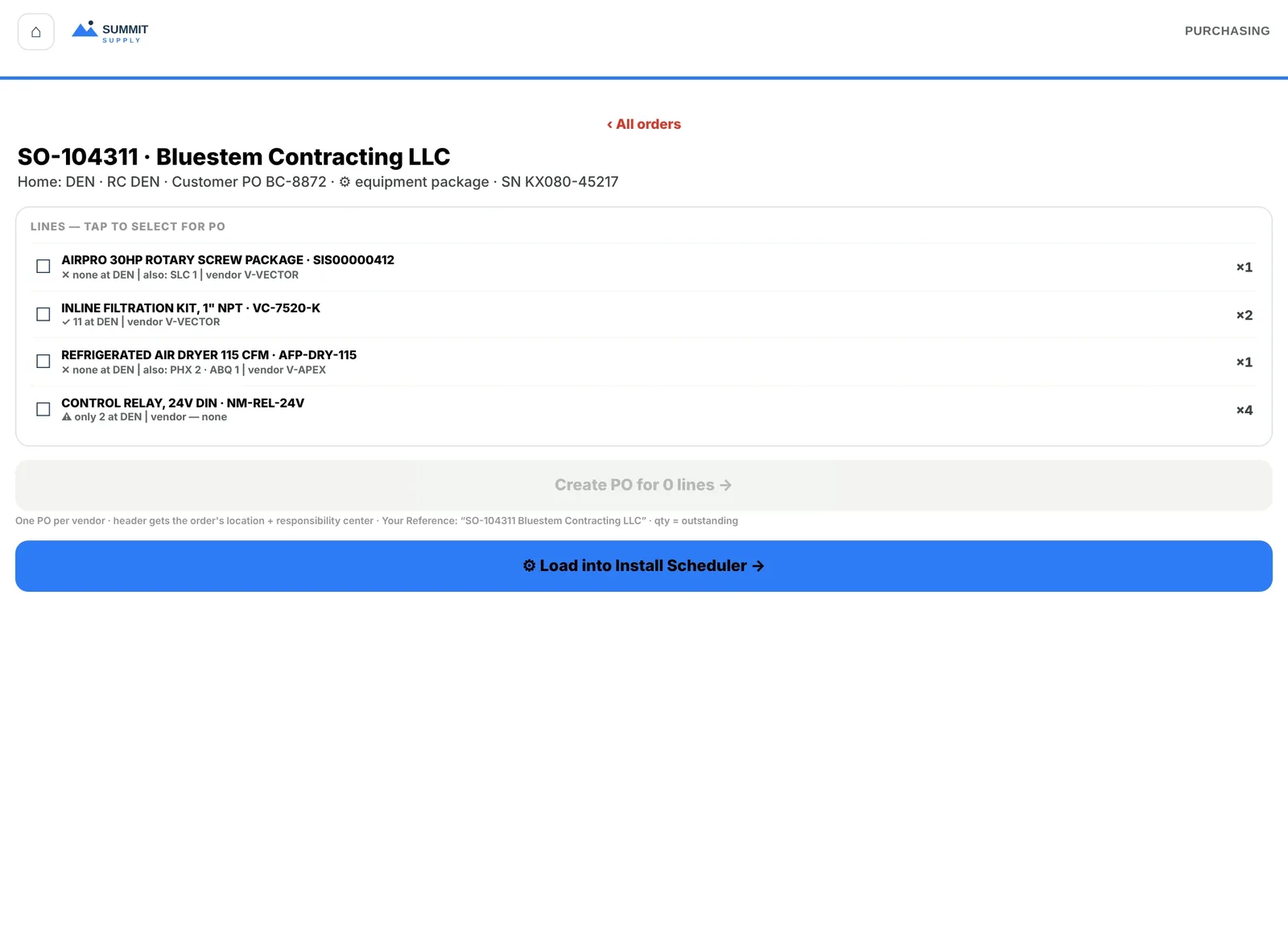
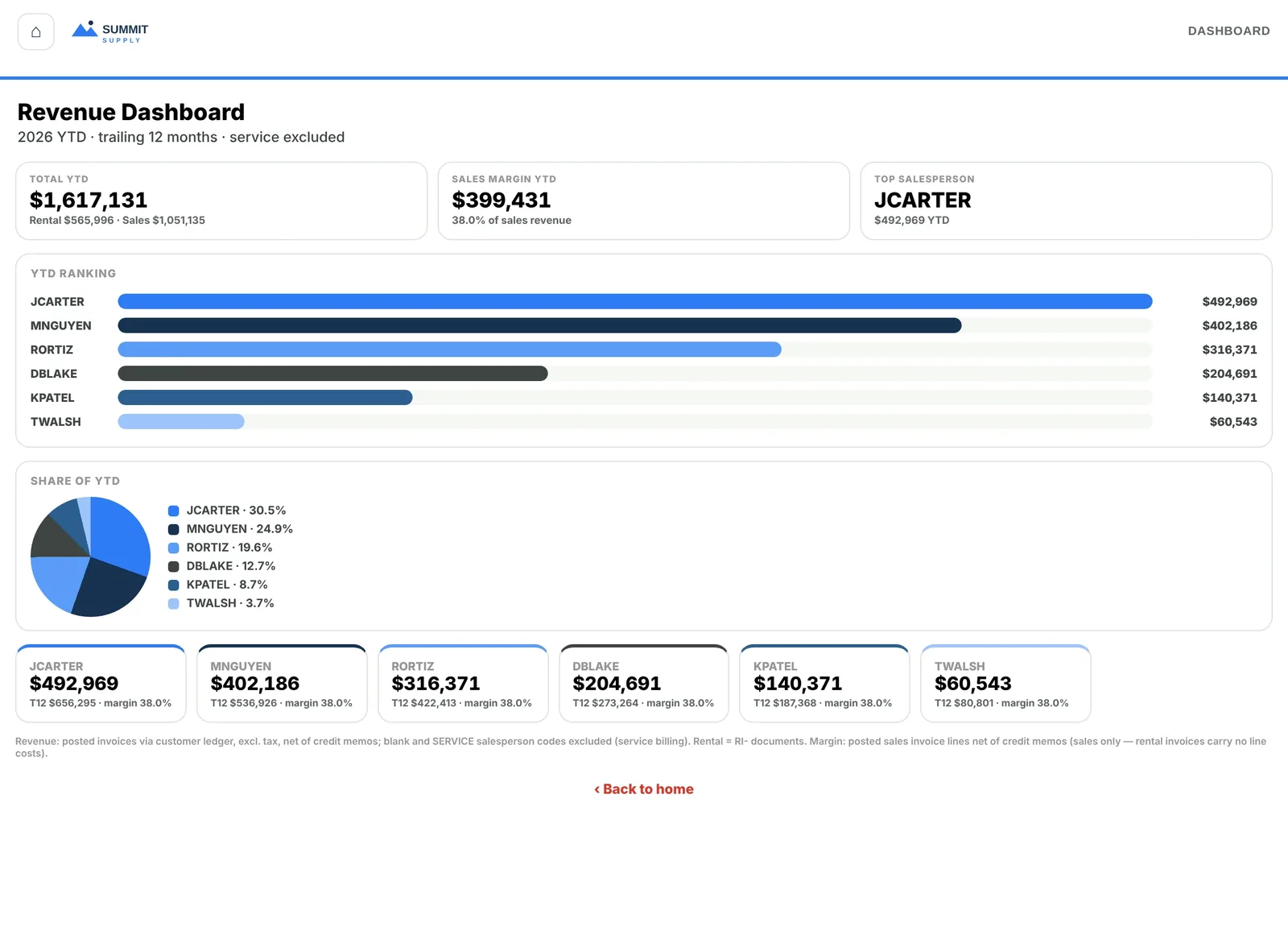
A rep-facing app with a tile home (pending quotes, approvals, open orders, favorites). A solution builder that imports a vendor cart as one package line and shows margin and stock per line. A customer-ready quote view. A purchasing screen for orders the builder created, and a revenue dashboard by salesperson.
How it works now
Reps see margin while they build, print or save the quote as a PDF from the same screen, and turn it into an order with one button when the customer agrees. Purchasing picks up those orders with stock by location already on each line.
06 · Field Service
Every work order on one board, every job on one screen.
Demo: Kestrel Ridge, an equipment service company with several branches.
The problem and what we built
The problem
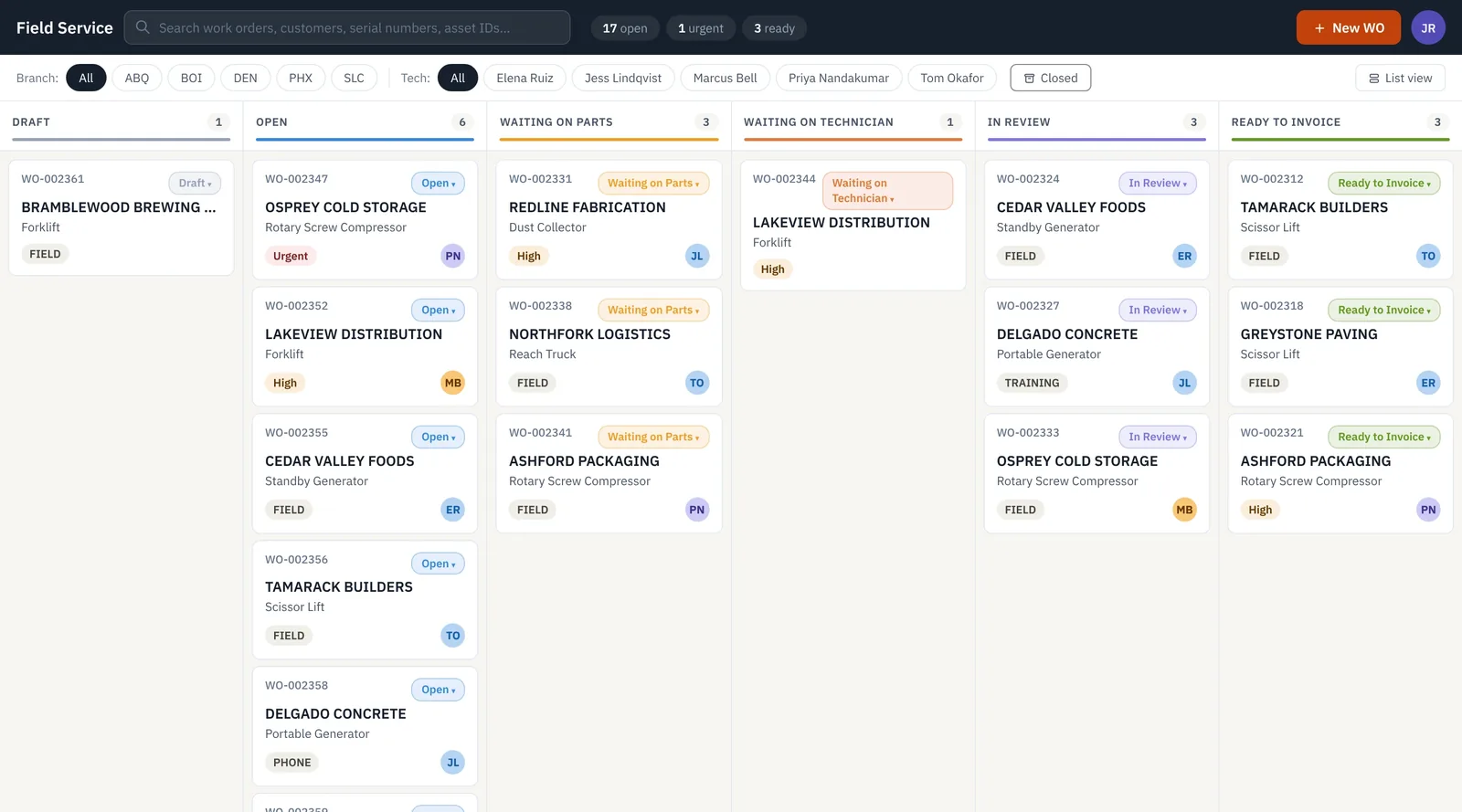
Standard service pages are lists and cards. There’s no view of which jobs are waiting on parts, on a technician or on review, a technician’s time, notes and parts go in different places, and the invoice doesn’t tell the customer much about what was done.
What we built
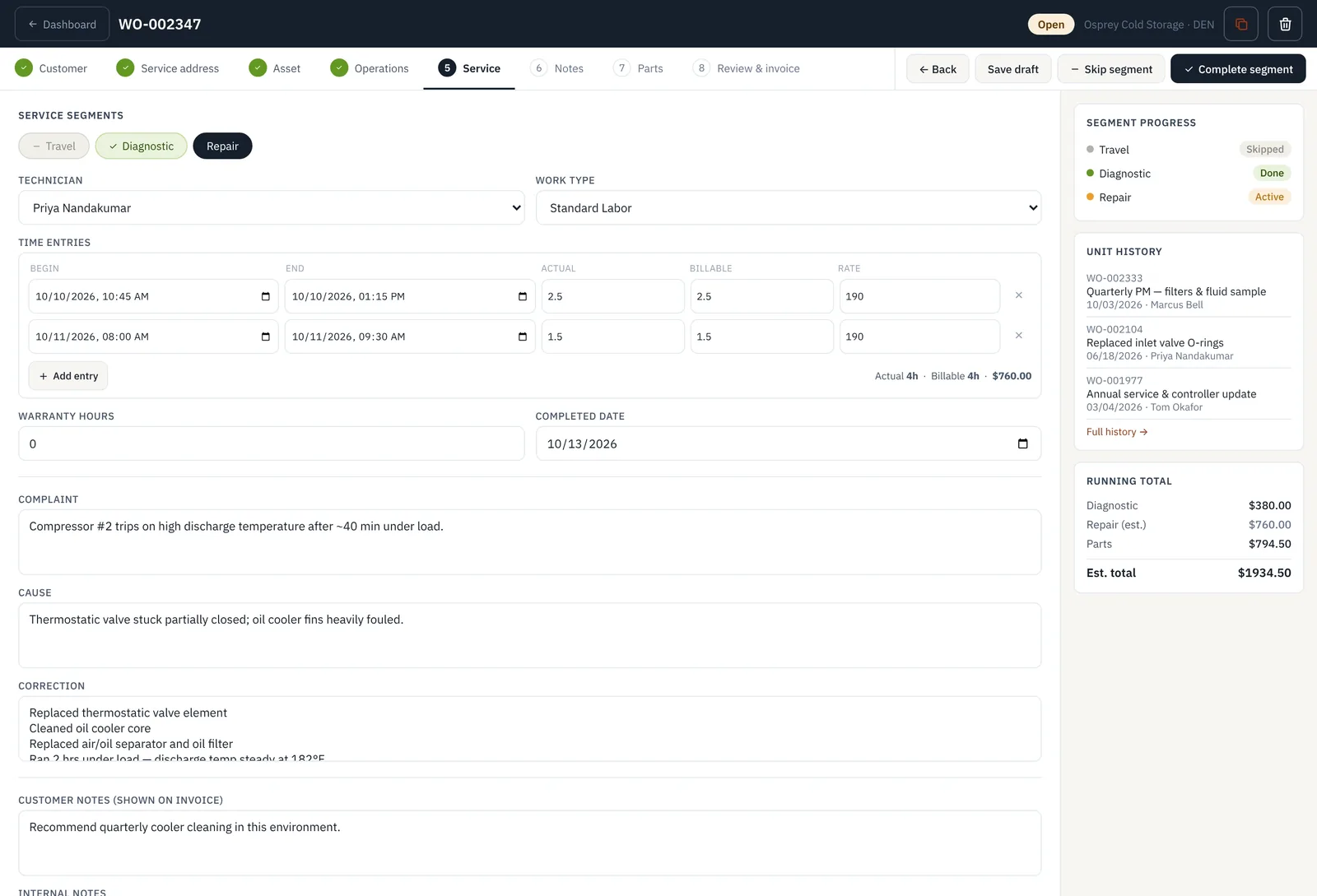
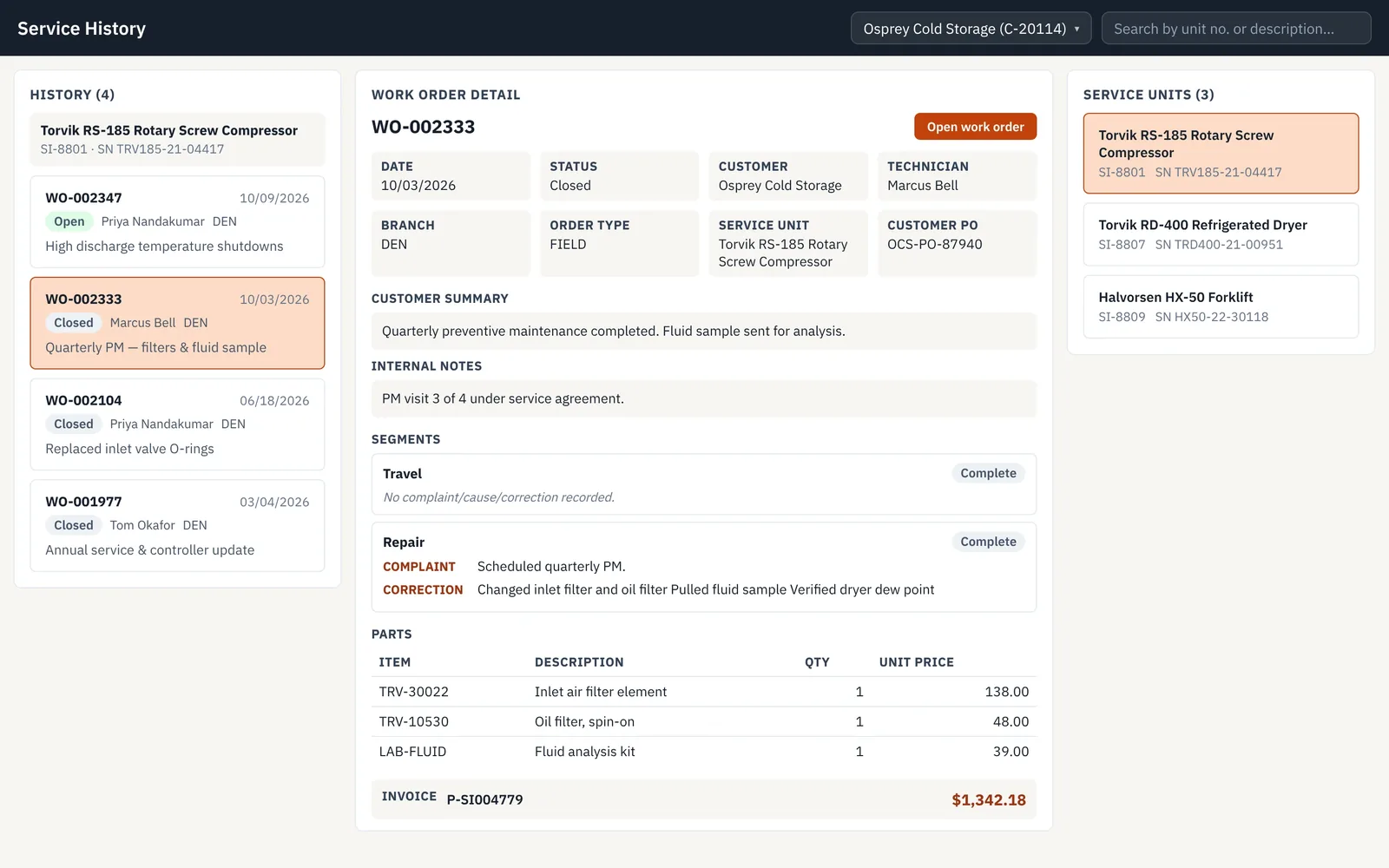
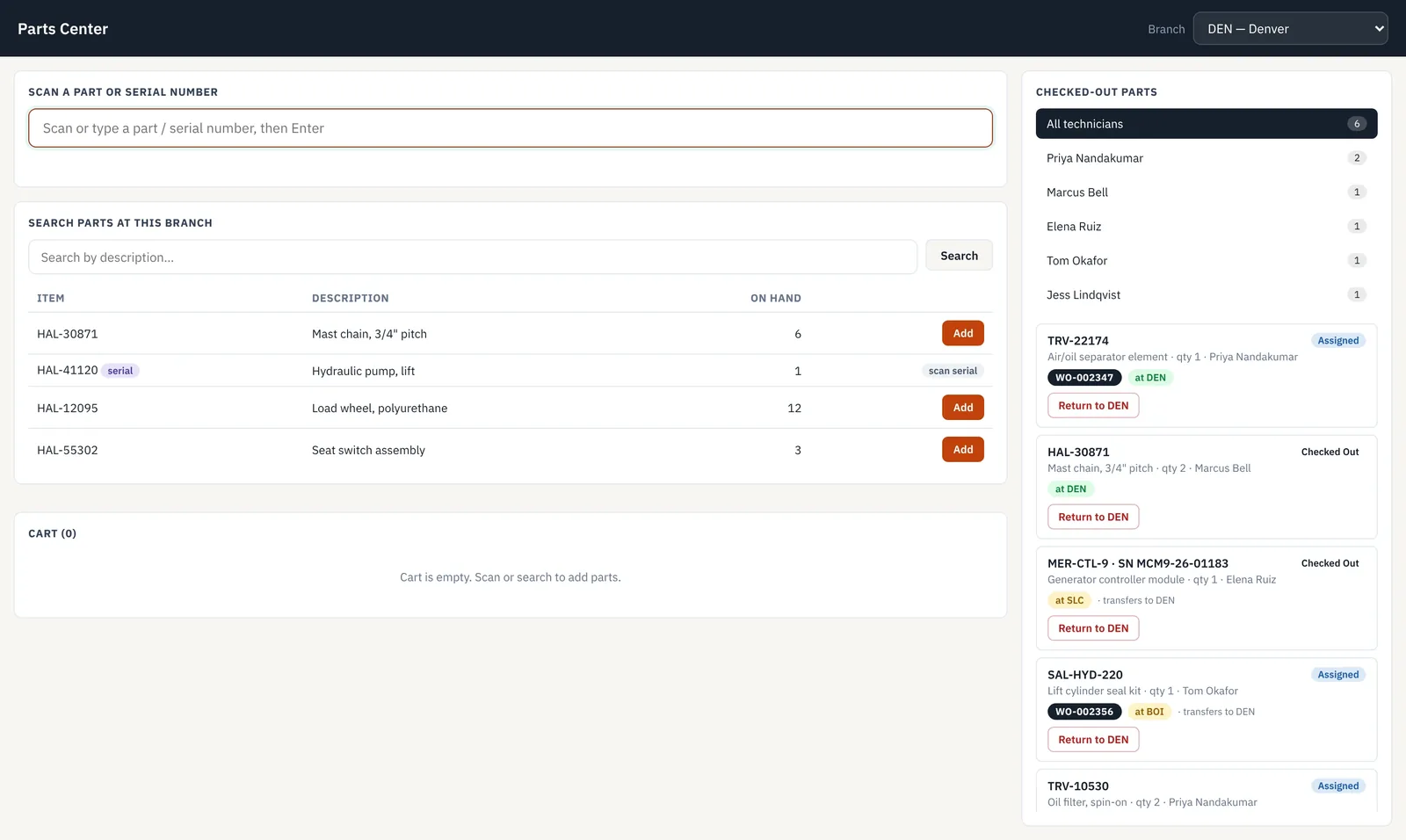
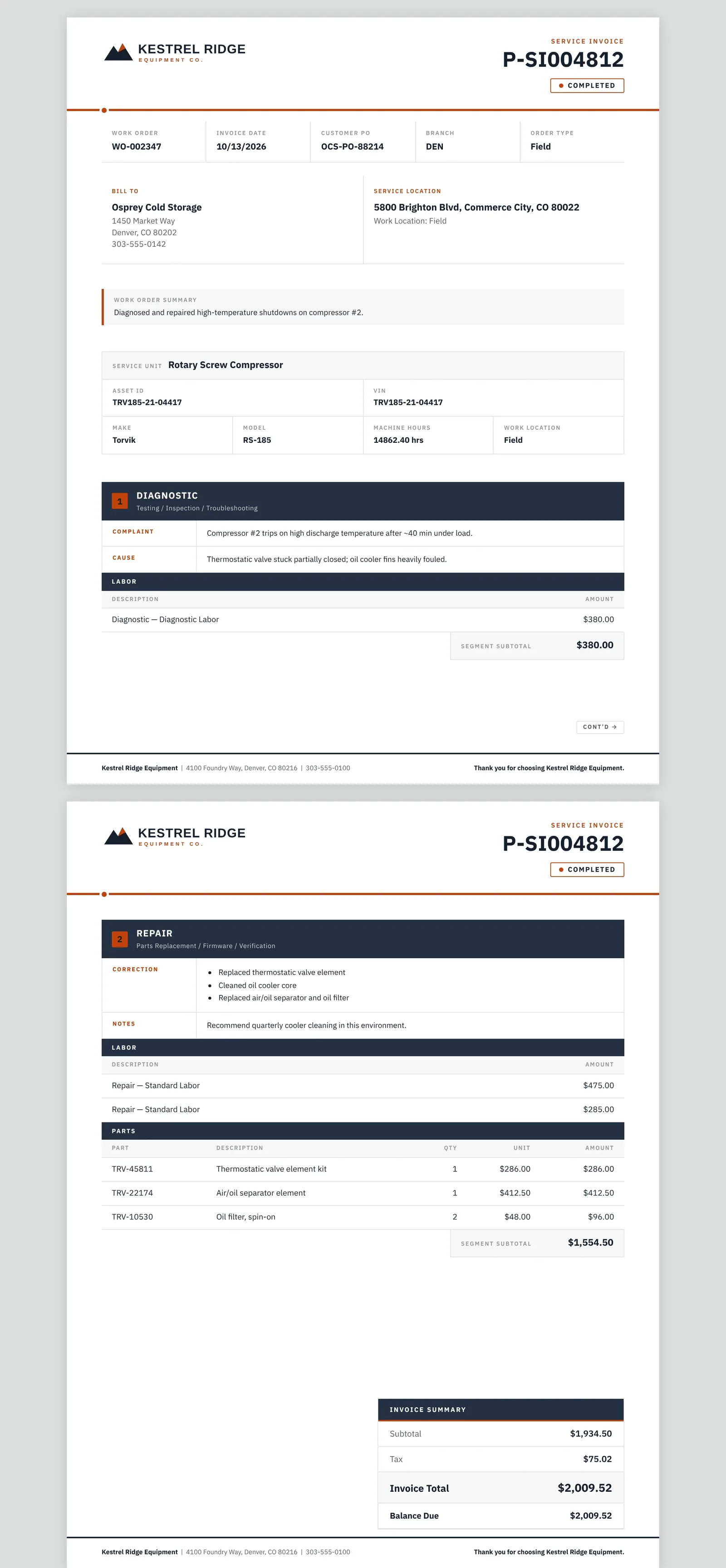
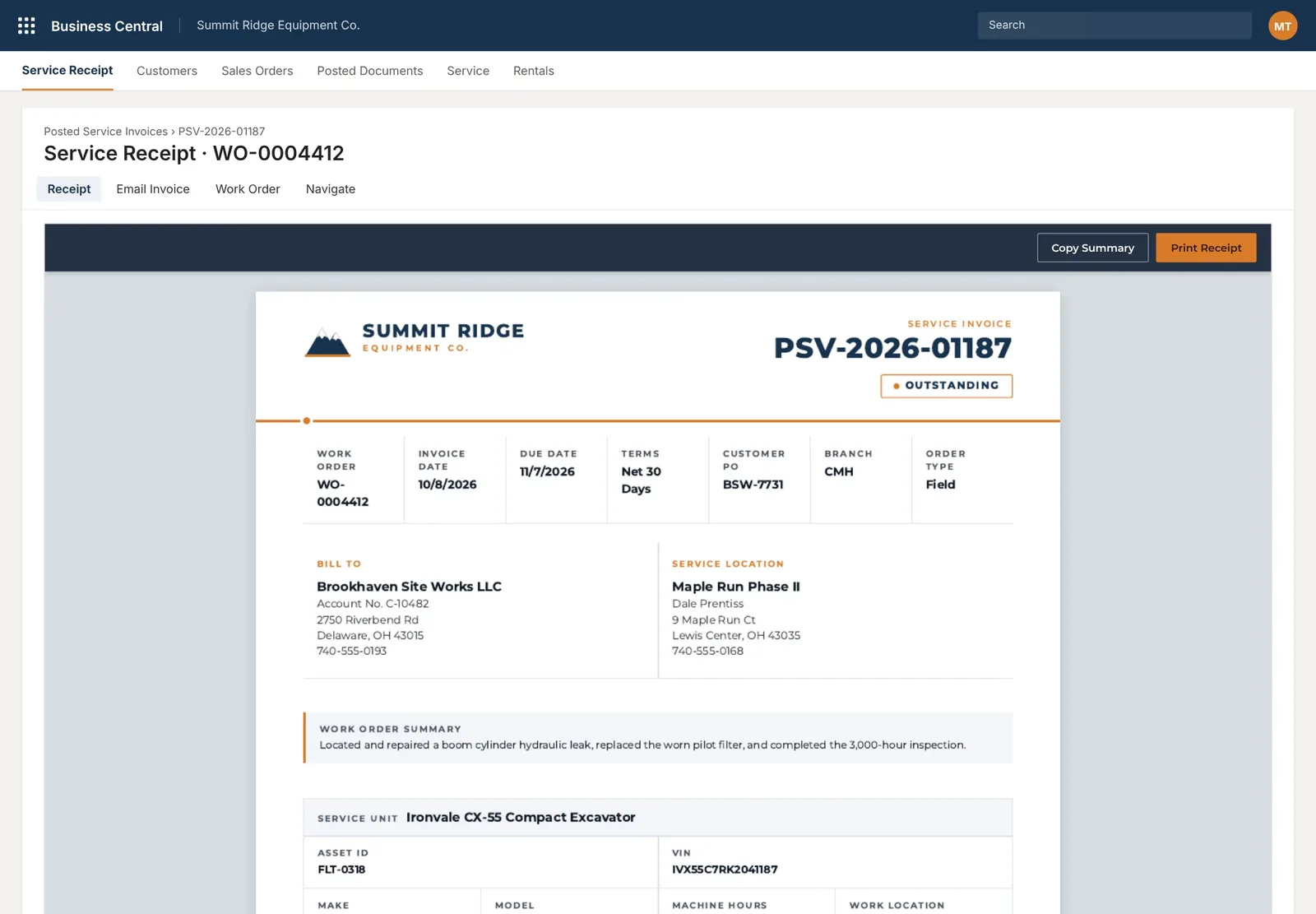
A board of work orders by status, filtered by branch and technician. A stepped workspace for each order, with service segments, time entries, complaint, cause and correction, unit history and a running total. A parts center for checking parts out to technicians. Service history per unit, and a service invoice laid out segment by segment.
How it works now
The coordinator works from the board. The technician works through one screen from customer to review. The customer’s invoice shows the complaint, the cause and the fix, with labor and parts under each.
07 · Branded document layouts
Invoices that answer the customer’s questions.
Demo: Summit Ridge Equipment Rental, which sells, rents and services equipment.
The problem and what we built
The problem
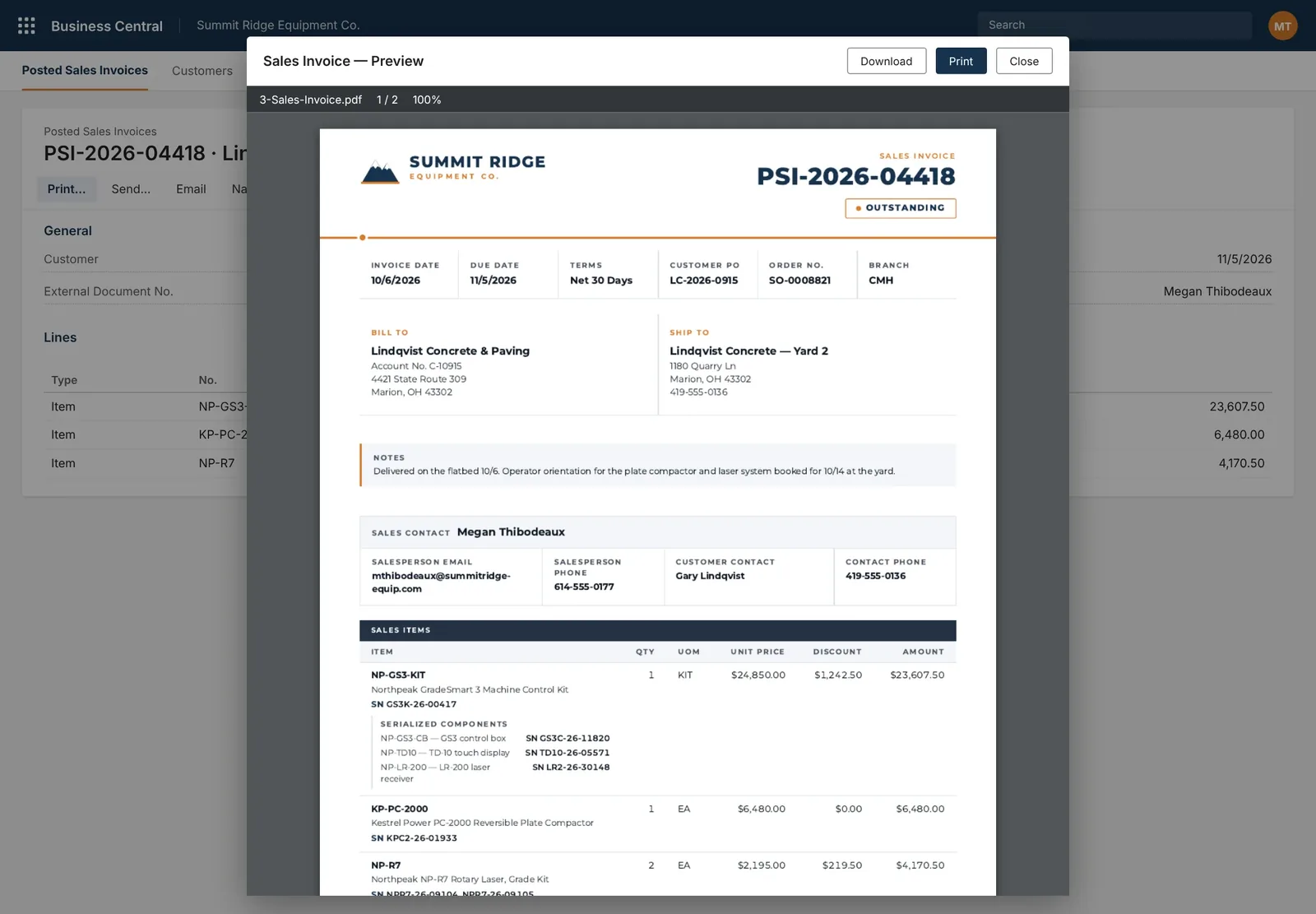
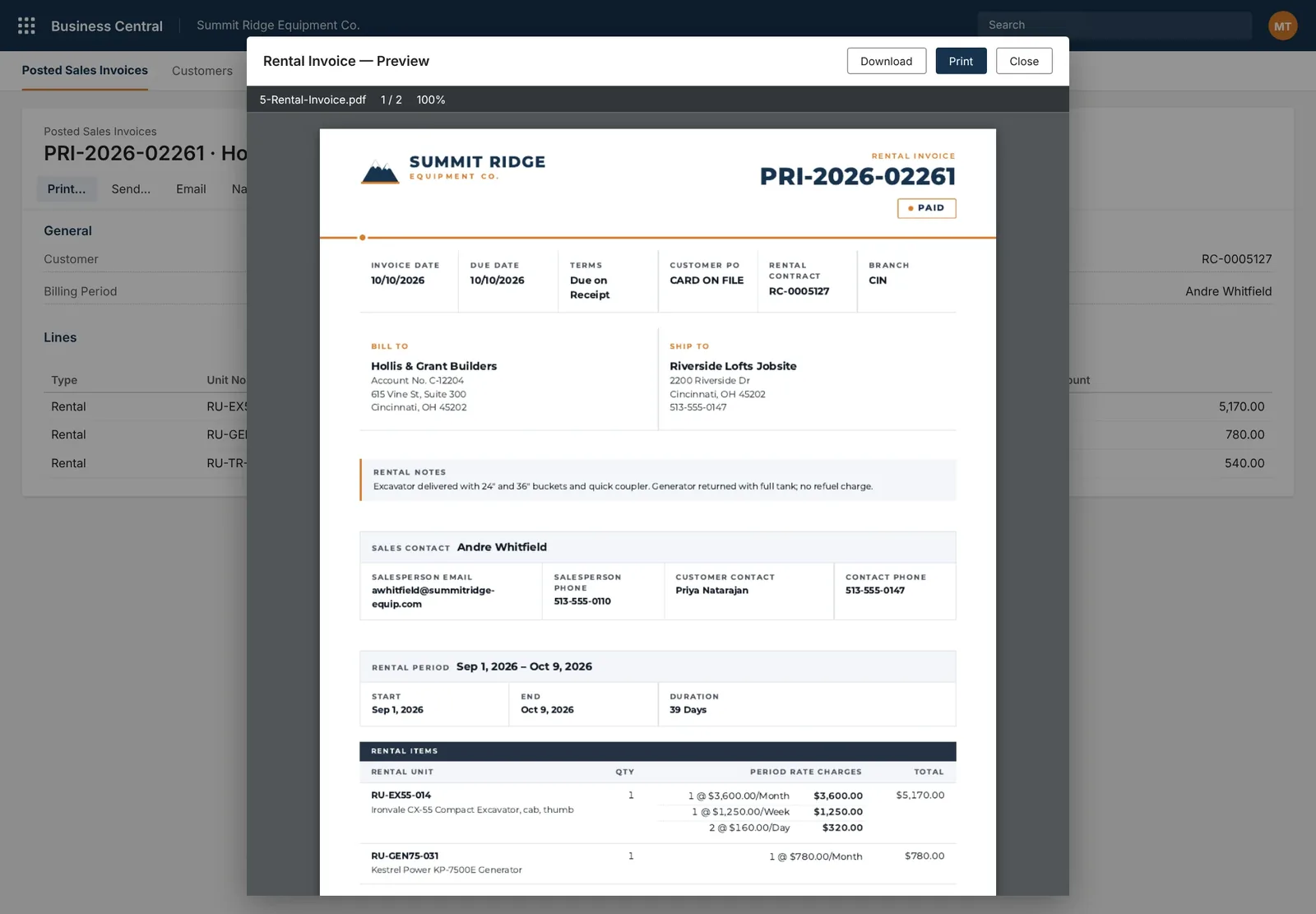
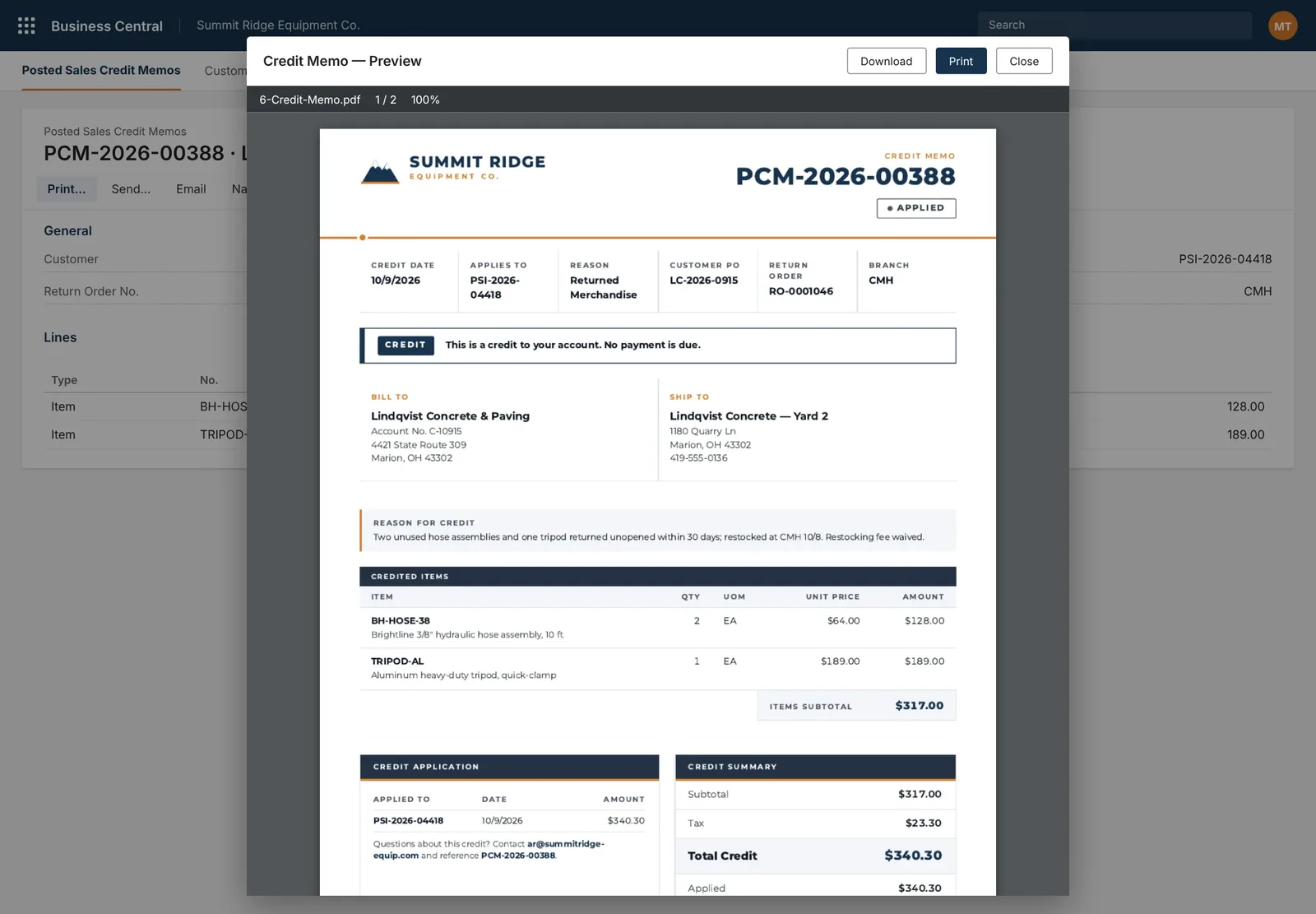
Business Central’s default report layouts are built to suit every company. They don’t carry your brand, and they leave out what customers ask about: serial numbers, rental periods, what a credit was applied to.
What we built
Custom report layouts for sales invoices, rental invoices and credit memos, previewed inside Business Central with download and print. A service receipt viewer on the posted service invoice, with print and copy summary.
How it works now
Sales invoices list the serialized components inside a kit. Rental invoices show the rental period and how each rate was charged. Credit memos state the reason and what they were applied to.
Free Business Central UX review
Send us the screen your team hates most.
In 30 minutes we count the steps your team takes today and sketch the same task as one screen, on desktop and phone. You keep the written summary. No slides, no obligation.